1
2 - 16 MC55A0/MC55N0 Enterprise Digital Assistant Integrator Guide
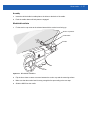
3.
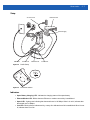
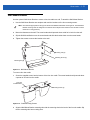
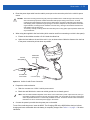
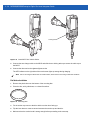
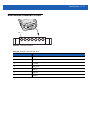
Swing the four slot cradle down onto the mounting bracket and align the mounting screws so that they fit
into the screw slots.
Wall Mount
Bracket
Screw Slots
Power Supply
Well
Figure 2-15 Wall Mount Bracket
4.
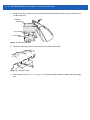
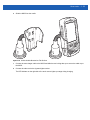
Tighten the mounting screws to secure the four slot cradle to the bracket.
Figure 2-16 Mounting Screws
5.
Connect power (see Figure 2-12 on page 2-14). The power supply should be located in the power supply
well.