1
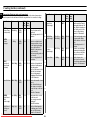
“Quick” Look-up Guide
EN
Oven
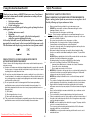
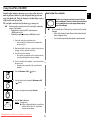
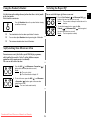
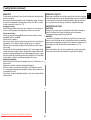
I want to cook some food
1. Place the food in the oven.
Press the Microwave( ) button.
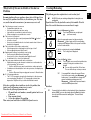
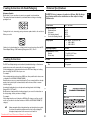
VENTILATION HOLES
HEATING
ELEMENT
DOOR
WATER BOWL
HOLDER
VENTILATION
HOLES
2. Press the Microwave(
) button until the appropriate
power level is displayed.
3. Select the cooking time by turning the dial knob as
required.
4. Press Start( ) button.
Result:
Cooking starts
When cooking has finished, the oven will beep
and flash “0” four times. The oven will then
beep one time per minute.
DOOR
HANDLE
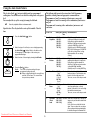
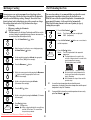
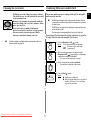
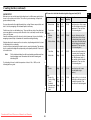
I want to add an extra 30 seconds
DOOR LATCHES
Leave the food in the oven.
Press +30s button one or more times for each extra 30
seconds that you wish to add.
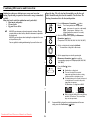
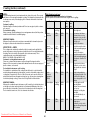
I want to Power defrost some food
1. Place the frozen food in the oven.
Press the Power Defrost( ) button.
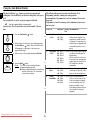
2. Select the food category by pressing the Power
Defrost( ) button, until the desired food category is
selected.
3. Select the weight by turning the dial knob as required.
4. Press Start( ) button.
Result:
Defrosting starts
When cooking has finished, the oven will beep
and flash “0” four times. The oven will then
beep one time per minute.
Downloaded From Microwave-Manual.com Manuals
2
CONTROL PANEL
TURNTABLE
COUPLER
ROLLER RING
SAFETY
INTERLOCK
HOLES