1
all.book Page 67 Wednesday, June 4, 2003
1:07 PM
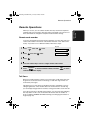
6. Special Functions
Caller ID (Requires Subscription to Service)
If you subscribe to a caller identification service from your telephone
company, you can set your fax machine to display the name and number of
the caller while the fax rings.
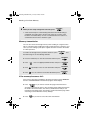
Important:
♦ To use this function, you must subscribe to a caller identification service
from your telephone company. Note that the machine may not be
compatible with some caller identification services.
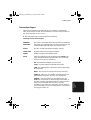
♦ Area Code mode: This step is needed if your telephone exchange cannot
dial a local phone number (within your calling area code) when the area
code is dialed with the phone number (see Step 5).
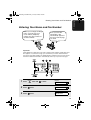
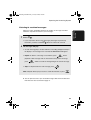
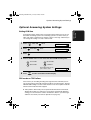
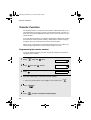
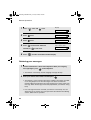
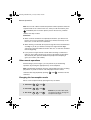
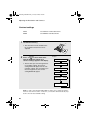
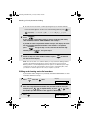
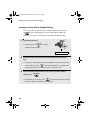
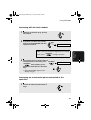
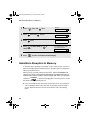
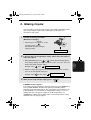
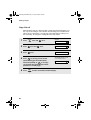
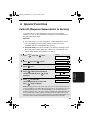
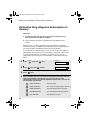
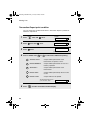
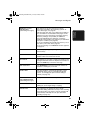
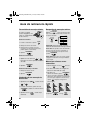
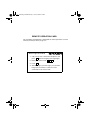
1
Press
FUNCTION
Display:
once and
once.
OPTION SETTING
2
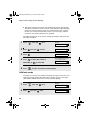
Press
once and
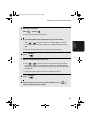
3
Press
once.
1=YES, 2=NO
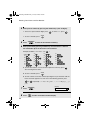
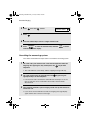
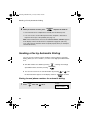
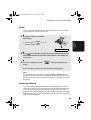
4
Press
(YES) to turn on Caller ID.
AREA CODE # MODE
(To turn off Caller ID, press 2
to Step 8.)
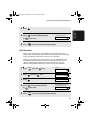
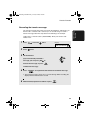
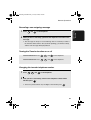
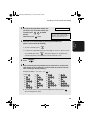
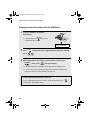
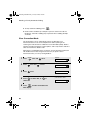
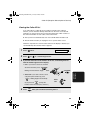
5
and go
Press 1 to select SET.
(To clear a previously set area code,
press
2
CALLER-ID
6. Special
Functions
1
5 times.
1=SET, 2=CLEAR
ENTER AREA CODE
and go to Step 8.)
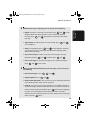
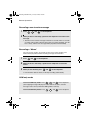
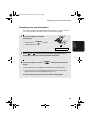
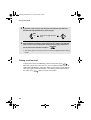
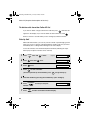
Note: Entering your area code in this step causes it to be automatically removed
from local numbers in the Caller ID list (page 69). This is only required if you need
to eliminate dialing of the area code when dialing a local number from the list.
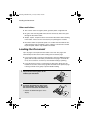
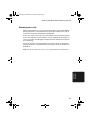
Example (using the area code “123”): If Step 5 is skipped, the Caller ID display will
show 123-444-1234, and the number that will dial from the Caller ID list is 123444-1234. If the area code 123 is entered in Step 5, the Caller ID display will show
444-1234, and the number that will dial from the Caller ID list is 444-1234.
67