1
ENGLISH
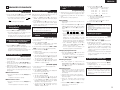
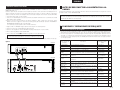
11 BEFORE SWITCHING OFF THE POWER
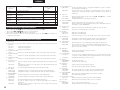
Preset function type
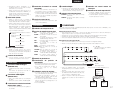
When you have finished using the CD player, before switching off the power be sure that the disc holder has been
closed with the OPEN/CLOSE (5) button.
CAUTION:
• Do not forcibly close the disc holder when the power is off. It may damage the unit when it is transported.
Description
Set upon shipment
from factory
Cascade OFF
No.
Cascade
Selection of whether or not to output cascade signal.
Preset clear
Setting for clearing presets and setting them to the initial
Ini. Preset
values.
21
22
Set information
Microprocessor version display.
Ver. **** (* = number)
23
Play list (MP3)
Setting of whether or not to perform the play list.
Play List OFF
24
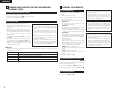
12 PRESET FUNCTIONS AND OPERATIONS
(1) List of Preset Functions
(2) Presetting procedure
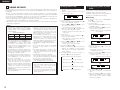
• Functions can be preset using the buttons on the front panel. These presettings are stored in a permanent
memory, so they are not cleared even when the power is turned off.
• The functions shown on the table below can be preset. Set the functions according to the usage purpose to
efficiently achieve even higher quality playback.
• One of the preset functions can be used to display information on this set (microprocessor version).
Preset function type
Description
Set upon shipment
from factory
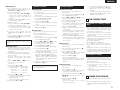
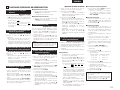
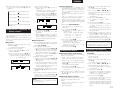
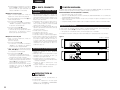
Press the STOP (2) button u while presetting the TITLE button @1.
Press the 8 or 9 button o !0 and select the preset item.
Press the PLAY (1) button y to change the setting.
The preset mode is canceled when the STOP (2) button u. The setting are writeen at this time.
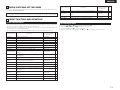
No.
Preset type
Selection of preset type.
Preset Type 1
1
Program 1
Setting of whether or not to play program 1.
Program 1 OFF
2
Program 2
Setting of whether or not to play program 2.
Program 2 OFF
3
Program 3
Setting of whether or not to play program 3.
Program 3 OFF
4
Power on mode
Setting of operation when power is turned on.
Power On Stop
5
Time mode
Setting of play mode when power is turned on.
Time ELAPSED
6
Random
Setting of time mode when power is turned on.
Random OFF
7
Finish mode
Setting of operation when playback ends.
Finish Stop
8
Next Track Reserve
Setting of operation when select knob is turned during
Reserve. OFF
playback.
9
Play lock
Selection of whether or not to inhibit the panel switches
Play Lock OFF
during playback.
10
Panel lock
Selection of whether or not to enable the panel buttons.
11
Auto cue
Setting of whether or not to perform the auto cue
CueDet. OFF
operation and the audio startup level.
12
Play speed
Standard playing speed setting.
Normal Speed
13
Text display
Selection of time or text display.
Text OFF
14
Frame display
Selection of whether or not to display frames.
FR Disp ON
15
E.O.M.
Setting of whether or not to display the EOM and display
E.O.M. 10 s
time setting.
16
Auto stop
Setting of whether or not to automatically stop the servo
Sleep 30min
functions.
17
RC cord
RC cord setting.
RC DENON
18
IR remote
Infrared remote control sensor setting.
IR ON
19
Play mode
Setting of play mode when power is turned on.
Play CONTINUE
20
Panel OFF
1
2
3
4
13