1
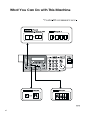
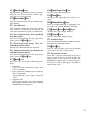
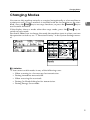
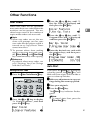
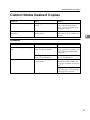
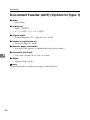
11. {Clear/Stop}} key
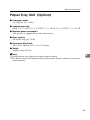
18. {Select Paper Tray}} key
While entering numbers, press to cancel a
number you have entered. While copying, press to stop copying.
Press to select the paper tray.
19. {Zoom}} key
12. {Clear Modes}} key
Changes the reproduction ratio in 1%
steps.
Press to clear the previously entered copy
job settings.
20. {Reduce/Enlarge}} key
13. On indicator
Press to make reduced or enlarged copies. See p.32 “Preset Reduce/Enlarge”.
This indicator lights up when the operation switch is turned on, and goes off
when the operation switch is turned off.
21. {Lighter}} and {Darker}} keys
14. Fax function keys (Fax installed
22. {Original}} key
Adjusts the copy image density.
machine only)
Press to select the original type.
Press to change modes. To use copy functions, press the {Copy}
} key.
23. Number keys
15. Dial Function keys (Fax in-
Use to enter the desired number of copies
and data for selected modes.
stalled machine only)
24. {Start}} key
See the Facsimile Reference manual.
16. Printer function keys (Printer in-
Press to start copying. Also use to initiate
Auto Start. See p.31 “Auto Start”.
stalled machine only)
25. Operation switch
Press to change modes. To use copy functions, press the {Copy}
} key.
17. {Menu}} key
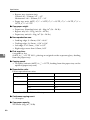
Press this key to set the following functions.
• Combine
Press to make combined copies. See
p.35 “Combine”.
• Sort (Optional 32MB copier memory
unit is required)
Automatically sorts copies. See p.25
“Sort”
• Original Size
Select the original size that matches
the originals placed. See p.20 “Placing
Standard Size Originals”
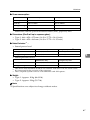
Press this switch to turn the power on or
return from the Low Power mode, the
Sleep mode or the Auto Off mode (the
On indicator lights up). To turn the power off, press this switch again (the On indicator goes off).
5