1
while viewing a media file via Media Browser use this
setting to select a movie subtitle language.
By pressing “ ” or “ ” button, select the desired
language option (optional).
Installation
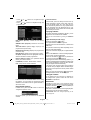
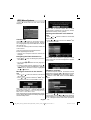
Set Language item by pressing “ ” or “ ” button.
Press “ ” or “ ” button to highlight Country item and
then use “ ” or “ ” to set. Press “ ” or “ ” button to
highlight TXT Language. Select a region by using “ ”
or “ ” button. When finished, press OK or RED button
to continue. To cancel, press the BLUE button.
The Installation menu is mainly intended to help you
for creating a Channel Table in most efficient way.
Select Installation from the main menu by pressing
“ ” or “ ” buttons.
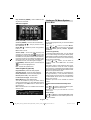
After APS is finalized, the programme table will appear
on the screen. In the programme table you will see
the programme numbers and names assigned to the
programmes.
Manual Search
Automatic Channel Scan
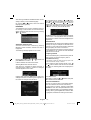
Automatic channel scan is started by pressing
OK button while Automatic channel scan item is
highlighted.
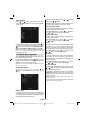
The following message appears on the screen:
In Manual Search, the number of the multiplex is entered
manually and only that multiplex is searched for the
channels. For every valid channel number, signal level
and signal quality are shown on the screen.
In both manual and auto search any existing channel
in the database is not re-stored to avoid redundant
duplicates of that channel.
Frequency Search
Enter the desired frequency. When finished, press OK
button, and the TV will start frequency search.
Highlight Yes or No by using “ ” or “ ” buttons and
press OK button to confirm.
If Yes is selected, automatic search starts.
Selecting No cancels automatic search.
After search is completed for digital channels, a
message asking whether to search for analogue
channels appears on the screen:
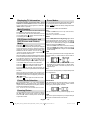
Highlight Yes and press OK button to search for
analogue channels. The following menu appears on
the screen for analogue channel search:
Clear Service List (*)
(*) This setting is visible only when the Country option is set
to Denmark, Sweden, Norway or Finland.
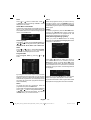
Use this setting to clear channels stored. Press “
” or “ ” button to select Clear Service List and then
press OK. The following OSD will be displayed on
the screen:
Press OK to cancel.
Select Yes by pressing “ ” or “ ” button and press
OK to delete all of the channels.
First Time Installation
The user can use this item to load default settings,
which were loaded to the receiver at the factory.
To install factory settings, highlight “First Time
Installation” menu item and press OK button, then
you will be asked whether or not to delete the settings.
Selecting “Yes” by pressing OK button while the “Yes”
is highlighted, will delete the existing channel table.
English - 20 -
[GB]_MB36_MASQUE_HDIDTV-MPEG4_BRONZE8_32843W_1205UK_10069999_50176032.indd 20
06.09.2010 09:12:14