1
1
Introduction
Thank you for selecting the Maxtor Shared Storage Plus drive. Connecting
this storage solution to your network in a home or small office is a simple
and economical way for users to share and backup files. Your new Maxtor
Shared Storage Plus drive offers a winning combination of capacity,
simplicity of use and helpful software features that automate configuration,
privacy and more. The simple installation allows you to start using your drive
as quickly as possible. You can also change settings on your drive at any
time, and manage user access through Safari or other web browsers.
Shared Storage Plus Features
Instantly add storage to your network, back up files across every compatible
Macintosh on your network, and stream music, videos and photos from your
drive to your home entertainment system.
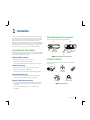
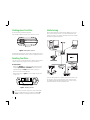
Shared Storage Plus Components
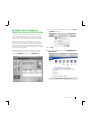
Review the features shown before you begin installation.
Back
Front
Power
Button
Power
Reset
USB Ports
Connector
Button
Network ID Panel
Security
Ethernet port
Locking
Slot
Status Light
(Flashing Green
and Amber Lights)
Figure 1. Shared Storage Plus Drive Features
Simple Installation and Setup
• Automatically configure the drive to your network
Included in this Kit
• Manage the drive using our simple user interface
• Connect and share additional hard drives using the drive’s 2 USB ports
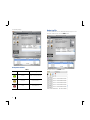
The Shared Storage Plus drive comes complete with the components
shown in Figure 2.
Instant Shared Storage
• Easily store and share access to files, photos, music and videos
• Organize files automatically using Drag and Sort™
• Give users full access to public folders, while keeping others private
Vertical Stand
Quick Start CD
Shared Storage Plus Drive
Back up what Matters Most
• Protect data on all of your networked Macs using Maxtor® Backup
• Get backup and storage status for all users with SimpleView™
Playback of Videos, Music and Photos
• Use our media streaming feature to play digital photos, music and video
on a networked home entertainment system - even without turning on
your Macintosh
Power Adapter
Cat5 Ethernet Cable
Figure 2. Included in this Kit
• Connect automatically through a UPnP™ AV compatible digital
media adapter
Introduction
1