1
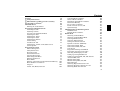
Contents
Traffic Programme (TP)
TP - Activating/ Exiting the TP Menu
Switching TP On/ Off
Selecting Automatic Tracking
Selecting / Deleting Direct Programming
Switching Mute Function On / Off
Interrupting TP Announcements
TP Announcement Volume
Switching TMC On/ Off
Display for receivable TMC stations
Telephone Mute Function
CD Operation
Instructions for Compact Discs (CD)
Inserting/ Ejecting CDs
Track Skip - Forwards/ Backwards
Scan Search
Fast Forward/ Rewind
Random Play
Title Repeat
Number of Titles and Total Playing Time
Temperature Protection Circuit
CD Changer Operation
Operational Readiness of CD Changer
Loading / Ejecting the CD Magazine
Playing CDs
Naming a CD
CD Filter Function
User Menu
Call Up / Exit User Settings Menu
Setting the GAL (Gal)
Telephone Mute Function (Tel)
Adjusting Reception Optimisation (M/S)
80
133
134
134
134
135
135
135
136
136
137
137
138
138
138
139
139
139
139
140
140
140
141
141
141
141
142
143
144
144
144
145
145
Adjusting the Led
Setting Navigation Announcements (Nav)
AUX Input (Aux)
Display Compass
Signal Tone Volume
Service Menu
Call Up / Exit Service Menu
Triggering Reset
Connection Instructions
Installation and Removal Instructions
General Instructions
RDS SYSTEM
DAS Seek Qual. Level
DAS Seek Name Level
RDS Stations Level
Stations Fix Level
PTY (Program Type)
Technical Data
146
146
146
147
147
148
148
148
149
150
152
152
152
152
152
152
153
154
NOTICE
155