1
Warm up/break-in period
6
SELECT THE INPUTS YOU ARE USING ON YOUR DIGITAL PROCESSOR
AND PREAMPLIFIER
Take care that a Tape Monitor switch does not override your selection of
the digital processor’s input on your preamplifier, or you will be struck by
how “quiet” your new digital source is.…
7
LOAD A DISC IN THE DRAWER AND PRESS PLAY; SLOWLY RAISE THE
VOLUME ON YOUR PREAMPLIFIER
Congratulations! You should now be able to enjoy your favorite music while
reading the rest of this manual. (Please, do read the rest of this manual.)
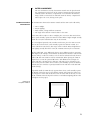
Although your Proceed CDD Compact Disc Drive delivers outstanding performance straight out of the box, you should expect to hear it continue to improve
as it reaches its normal operating temperatures and its various components
“break-in.” It has been our experience that the greatest changes occur within the
first few hours as the CDD reaches thermal equilibrium. Depending on how cold
the CDD was when you first connected it to AC power, full thermal equilibrium
might take as long as a day or two. After this initial break-in period, its performance will remain quite constant, assuming that the unit is toggled between operate and standby (rather than being turned fully off).
The only exception to this rule is if power is removed from the unit for a few
hours, allowing it to cool down. Depending on the degree of cooling involved,
you should expect a brief warm-up period before the CDD’s sound quality is at
its best. Unless your CDD was allowed to become quite chilled, subsequent thermal re-stabilization should not take long.
9