1
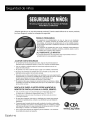
Child Safety
Caution
........................................................................................................................................
and Warning
FCC Notice
Safety
Guide
..................................................................................................................................
....................................................................................................................................................
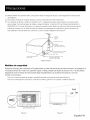
Precautions
....................................................................................................................................
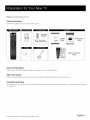
Preparation for Your New TV ......................................................................................................................
1
4
4
5,6
7
Check Accessories ......................................................................................................................................
.7
Setup TV Table Stand ..................................................................................................................................
.7
Select TV Location ......................................................................................................................................
.7
Connection and Using ..................................................................................................................................
.7
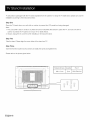
TV Stand
Installation
....................................................................................................................................
8
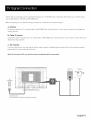
TV Signal Connection
..................................................................................................................................
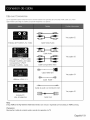
Cable Connections
.....................................................................................................................................
9
.I 0
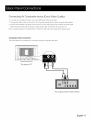
Back Panel Connections
11
............................................................................................................................
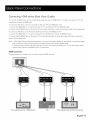
Connecting AV Composite Video device (Good Video Quality) ........................................................................
11
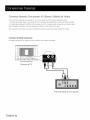
Connecting YPbPr Component device (Better Video Quality) ..........................................................................
12
Connecting HDMI device (Best Video Quality) ...............................................................................................
13
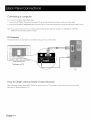
Connecting a Computer ...............................................................................................................................
How to Obtain Various Kinds of input Sources ...............................................................................................
14
14
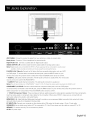
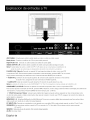
TV Jacks
Explanation
Side Keypad
and Front
..................................................................................................................................
Panel
...................................................................................................................
15
16
Side Panel Buttons ......................................................................................................................................
.16
Front Panel ................................................................................................................................................
16
Remote
Control
Instructions
......................................................................................................................
17
Inserting Batteries in the Remote .................................................................................................................
17
Remote Control Reception Angle .................................................................................................................
17
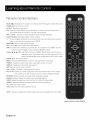
Learning about Remote Control ...............................................................................................................
Remote Control Buttons ..............................................................................................................................
18
18
Initial
.I 9
Setup
..................................................................................................................................................
Menu Language ..........................................................................................................................................
19
Signal Type .................................................................................................................................................
Auto Channel Search ...................................................................................................................................
19
19
Basic Operations
.........................................................................................................................................
20
Turning On and Off .....................................................................................................................................
20
Choosing TV Channel .................................................................................................................................
20
Selecting input Source ................................................................................................................................
20
Adjusting TV Stand Angle ............................................................................................................................
Channel Bar ...............................................................................................................................................
20
21
Adjusting Volume .......................................................................................................................................
EPG (Electronic Program Guide) .................................................................................................................
21
2!
English-2