1
ENGLISH
(
(
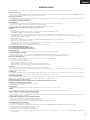
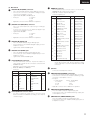
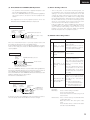
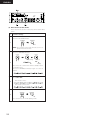
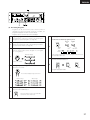
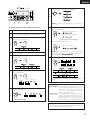
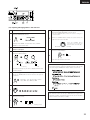
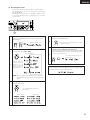
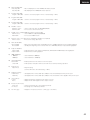
(4) Presetting Programs
•
•
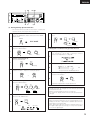
1
2-1
Programs can be stored in the preset memory. When a
cartridge for which a program is preset is loaded, the
programmed playback mode is set automatically.
Programs can be stored for up to three cartridges.
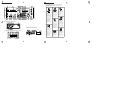
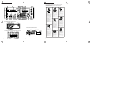
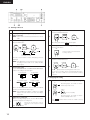
Input the program.
Following the instructions under “(1) Inputting the
Program” to input the program. (See Page 25)
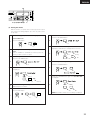
Set the preset mode.
Follow the instructions under “(2) Presetting Procedure”
to set the preset mode. (See Page 41)
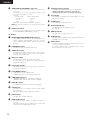
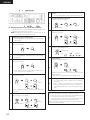
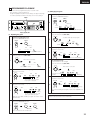
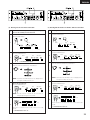
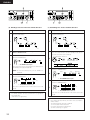
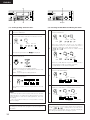
To play a preset disc:
Load a disc for which a program is preset.
STANDBY/CUE
3
Select the preset item.
Turn the select knob to select “Program 1” (or “Program
2” or “Program 3”).
PROG. PLAY
PROGRAM
ON/OFF
IN
Lit
Lit
TRACK NO.
Lit
SINGLE
PROGRAM
REMAIN
m
s
NEXT NO.
f
TRACK NAME
Character display
The pickup searches for the first programmed track and
the standby mode is set.
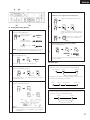
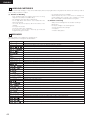
2-2
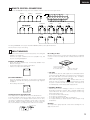
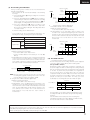
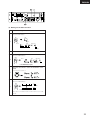
Start programmed playback.
Press the PLAY/PAUSE button.
Select one of these.
PLAY/PAUSE
PLAY/PAUSE
STANDBY/CUE
4
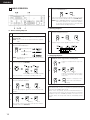
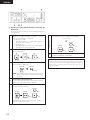
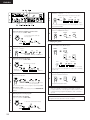
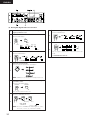
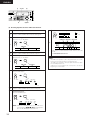
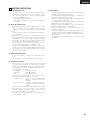
Change the preset setting.
Press the select knob.
Lit
Off
Programed playback starts.
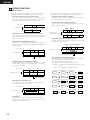
The character display changes as follows:
2-3
Before change
After change
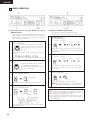
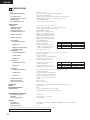
Cancel the preset mode.
Press the PLAY MODE button.
PLAY MODE
2-4
The preset setting mode is canceled and the
set returns to the normal mode.
27