1
ENGLISH
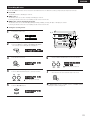
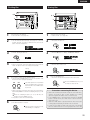
Creating index files
3, 4
1
INPUT
SELECTOR
MIC
LOW CUT
MIC
LIMITER
MIC LINE
OFF ON
OFF ON
3
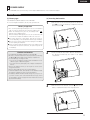
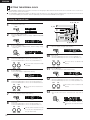
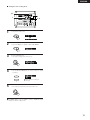
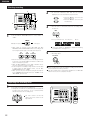
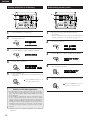
Press the ENTER button.
• A message for confirming that you want to make an index
file for the card in the current slot appears.
-20dB
ENTER
TIME
2
0
MODE
PLAY/PAUSE
2
KEY HOLD
REC
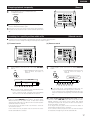
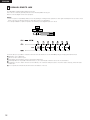
Select the index file create mode.
• Press the ª button to display “INDEX FILE MAKE”.
MIC
ATTENUATOR
-R
MODE
L / MONO - MIC
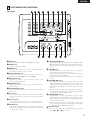
In the stop mode, press the MODE button.
• The preset mode is set.
STOP
REW
FWD
REC LEVEL
1
IN - LINE - OUT
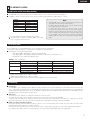
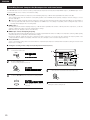
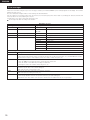
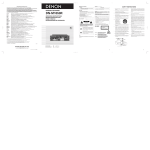
The DN-F20R is equipped with a function for creating and storing separate files, listing the audio files on the IC memory card. This function comes
in handy for creating tables of the audio files recorded on IC memory cards using spreadsheet programs on PC systems, etc.
With the DN-F20R, these files are called “index files”.
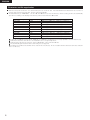
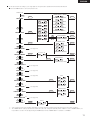
Index files are stored in CVS format. They include the directory names, file names, file recording dates, file sizes, etc.
PORTABLE IC RECORDER DN-F20R
Notes
ENTER
4
When the current slot is SLOT1
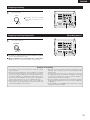
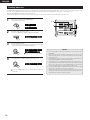
Press the ENTER button.
• The index file is created and the stop mode is set.
ENTER
Press the MODE button if you do not want to make the
index file.
28
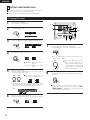
• It is not possible to view the index file or its contents on the
DN-F20R.
• Files recorded or deleted after creating the index file are not
reflected in the index. If you wish to reflect these files, create
a new index file.
• Index files can only be created for audio files located within the
standard DN-F20R IC memory card directories.
• The index file is only created for the card in the current slot. To
create index files for the cards in both slots, first create an index
file for one card, then use the CARD button to switch the
current slot and create an index file for the other card.
• It may not be possible to create index files if there is not enough
space left on the card or if there is a card error.
• If there are many audio files, it may take 30 seconds or more to
create the index file. Never turn the power off or remove the
card while the index file is being created.