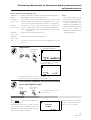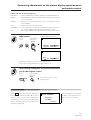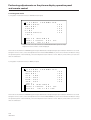
1
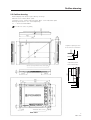
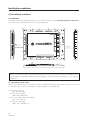
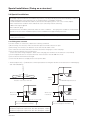
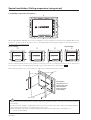
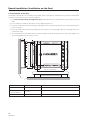
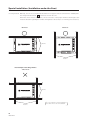
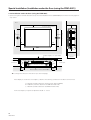
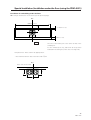
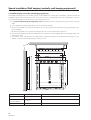
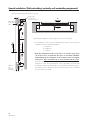
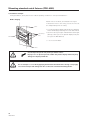
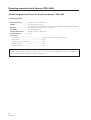
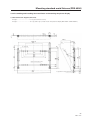
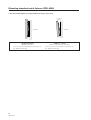
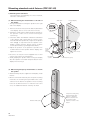
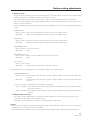
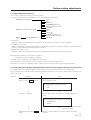
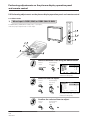
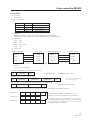
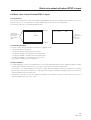
Mounting standard metal fixtures (PDA-4001 • PDA-4002)
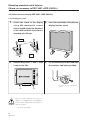
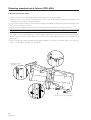
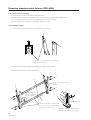
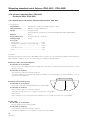
2) Mounting procedure
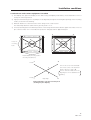
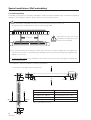
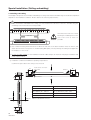
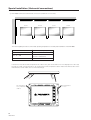
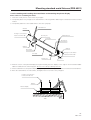
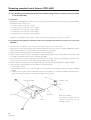
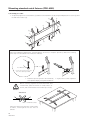
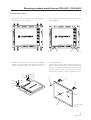
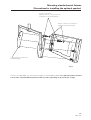
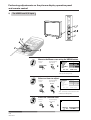
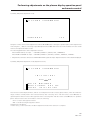
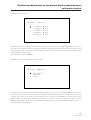
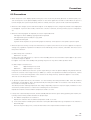
1. Remove the hole rivets (eight points) indicated by the
arrows using a coin or the like.
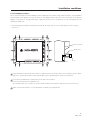
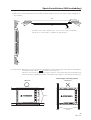
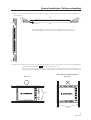
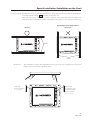
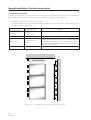
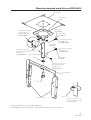
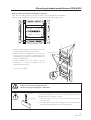
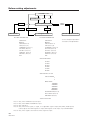
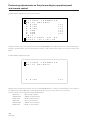
3. The metal fixture installed (seen from the back of
plasma display)
2, 3
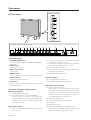
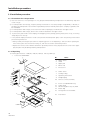
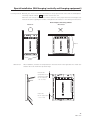
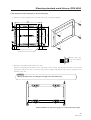
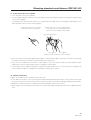
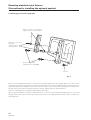
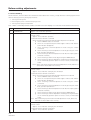
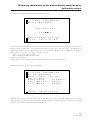
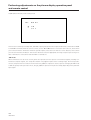
2. Install two metal fixtures to the bottom of the plasma
display using the hexagonal socket button bolt and
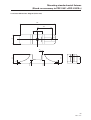
washer, according to the outer shape of the fixture.
1
2, 3
1
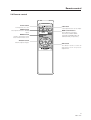
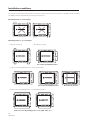
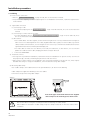
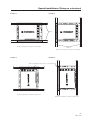
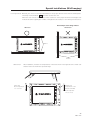
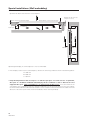
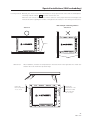
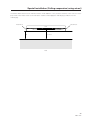
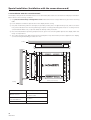
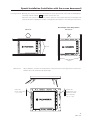
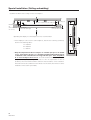
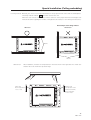
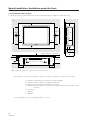
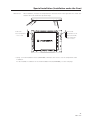
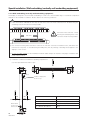
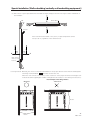
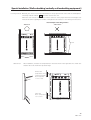
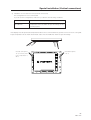
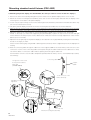
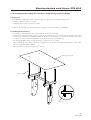
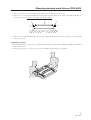
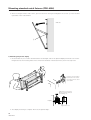
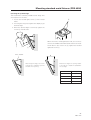
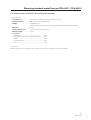
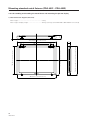
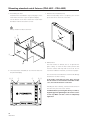
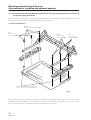
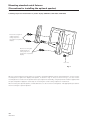
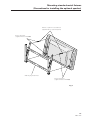
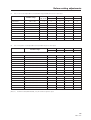
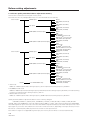
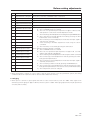
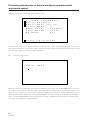
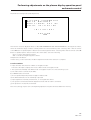
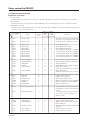
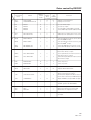
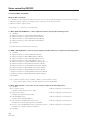
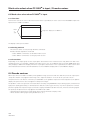
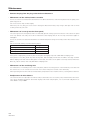
4. Assembling the filter
Place the filter with the light-accepting window at the
bottom, as shown. Peel off the protective film from
the rear of the filter, then attach the metal fixture 1 at
the two positions on top of the filter in the direction
2
2
3
2
3
3
1
indicated in the drawing, using the decorative screws.
5
1
2
1
3
1
5
D
4
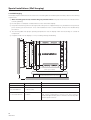
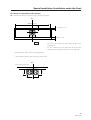
Light-accepting
window
93
<Ver. 2.1>