1
vShield API Programming Guide
Querying Registration Status of vShield Endpoint
You can use the same URIs shown in the previous section with the GET method to retrieve vendor registration information, solution registration information, location information, and solution activation status. Get Vendor Registration
You can retrieve vendor registration information.
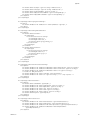
Example 7-5. Get vendor registration information
Request:
GET https://<vsm-ip>/api/2.0/endpointsecurity/registration/<vendor_id>
Get Solution Registration
You can retrieve solution registration information.
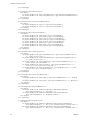
Example 7-6. Get solution registration information
Request:
GET https://<vsm-ip>/api/2.0/endpointsecurity/registration/<vendor_id>/<altitude>
Get IP Address of a Solution
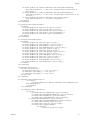
This call retrieves the IP address and port associated with a solution. Example 7-7. Get IP address and port of a solution
Request:
GET https://<vsm-ip>/api/2.0/endpointsecurity/registration/<vendor_id>/<altitude>/location
Get Activation Status of a Solution
This call retrieves solution activation status, given the managed object reference <moid> of its virtual machine.
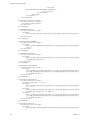
Example 7-8. Get activation status of a solution
Request:
GET https://<vsm-ip>/api/2.0/endpointsecurity/activation/<vendor_id>/<altitude>/<moid>
Status can be false (not activated) or true (activated).
Unregistering a Solution with vShield Endpoint
You can use the same URIs shown in the first section with the DELETE method to unregister a vendor, unregister a solution, unset location information, or deactivate a solution. Unregister a Vendor
This call unregisters a vendor.
64
VMware, Inc.