1
TDMA.book Page 62 Thursday, October 29, 1998 9:52 AM
2. Press ⁄ through · to hear the different ringer
styles, or scroll through the ringer styles.
3. Press
when you reach the ringer style you want.
4. Press º to exit, or scroll to other features.
Turning Keypad Tones On
and Off
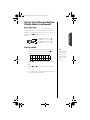
Keypad tones are the sounds you hear when you press any
key on the phone. If you want to be discreet, use this feature
to silence the audio feedback from the keypad.
Shortcut:
Press ƒ, then the
Smart Button, then
‹, ¤, and
continue with
step 2.
Keep in Mind: The other party will still hear tones.
1. Follow the steps in the ”Getting to Tone Controls…”
block to select Keypad Tone. You will see Keypad
Tone On or Keypad Tone Off.
2. Press
to toggle between Keypad Tone On and
Keypad Tone Off.
3. Press º to exit, or scroll to other features.
Turning Scratchpad Tones
On and Off
Scratchpad tones are the tones that your phone sends to
access automated calling systems like Voice Mail. If you
don’t want your party to hear these sounds when you use the
scratchpad, turn the scratchpad tones off.
Shortcut:
Press ƒ, then the
Smart Button, then
‹, ‹, and
continue with
step 2.
1. Follow the steps in the ”Getting to Tone Controls…”
block to select Scratchpad Tone. You will see
Scratchpad Tone On or Scratchpad Tone Off.
2. Press to toggle between Scratchpad Tone On
and Scratchpad Tone Off.
3. Press º to exit, or scroll to other features.
Note: If you turned the scratchpad tones off but want to
access a tone-activated system like Voice Mail, place the
call, enter the numbers you need to transmit, then:
Press ‰, then press æ to send the tones.
62