1
Returning Baby for repair
If you suspect your RealCare® Baby needs to be returned to
Realityworks for repair, please follow these steps:
1. Complete the troubleshooting testing on pages 29 of this
Operating Handbook (also at www.realityworksinc.com).
Table of Contents
Product overview ..........................................................................4
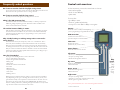
Control unit overview ..................................................................5
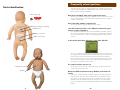
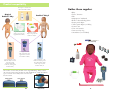
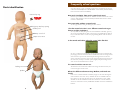
Parts identification ........................................................................6
Terms ..............................................................8
Getting started (Read these points first) ..............10
2. Contact the Customer Service Department at 800.830.1416
or e-mail them through our Web site. A Customer Service
Representative will analyze your troubleshooting results and
provide further instructions. Please have the following items
available when you call:
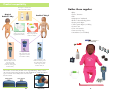
• Baby
• Four C batteries installed in Baby and four NEW C batteries
• Bottle or breastfeeding device
• Green patch diaper
• Yellow patch diaper
• Paper clip
• Instructor key ring
• Control unit with four NEW AA batteries
• Screwdriver
• Printer (if you have purchased one from Realityworks)
• IDs
3. If your Baby needs repair, Customer Service will give you a
Return Materials Authorization number for use when returning
Baby.
4. Remove batteries from Baby. Package RealCare® Baby II,
undressed, in the plastic bag provided with your purchase and
place it in the original box. Do NOT use newspaper for packaging
Baby; the ink transfers onto Baby’s vinyl. Unless specifically requested
by Customer Service, do NOT send accessories, batteries, or IDs.
Battery installation........................................12
Setting the control unit clock ........................14
Configuring Baby and IDs (setup) ....................15
Prepare (start and run Babies) ............................18
• Start and Stop Times
• Care Level
• Quiet Times
• Start Data Transfer
Finish (stop simulation and retrieve data) ................21
• Get Data
• End Simulation
• View Report / Print Report (on infrared printer from Realityworks)
Day Care on demand ....................................24
Demonstrating Baby for a group ..................25
Readiness Check (simulation settings) ................28
Troubleshooting Baby....................................29
Emergency Start/Stop feature ......................31
Self Test (control unit) ....................................32
Infrared printer choice ..................................33
Product compatibility ....................................34
Care, maintenance, and storage....................35
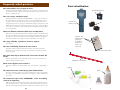
Frequently asked questions ..........................37
Returning Baby for repair ............................42
42
3