1
Chapter 1: SmartPilot Operation
11
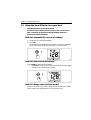
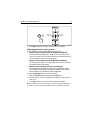
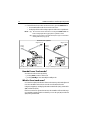
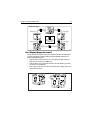
1 second
D5517-2
3. The display automatically returns to the previous mode if you do not press a
button for 10 seconds:
• if you press another mode button within 10 seconds you will select the
mode assigned to that button (for example: auto selects Auto mode,
standby selects Standby mode).
Notes: (1) You can also adjust the lighting level from any other SeaTalk instrument
or control unit.
(2) When you switch off the unit you lose any changes you have made to
the lighting level.
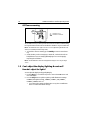
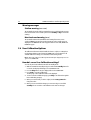
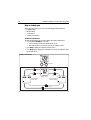
How do I adjust the contrast?
To set the display contrast level:
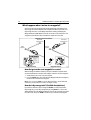
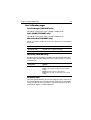
1. With the autopilot in Standby mode, press the disp button for one second to
access the LAMP screen.
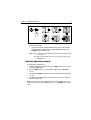
2. Press the disp button for one second again, to display the CONTRAST
screen.
3. Use the up and down arrow buttons to set the required contrast level (from
1 to 15).
4. The display automatically returns to the previous mode if you do not press a
button for 10 seconds:
Note: if you press another mode button within 10 seconds you will select the mode assigned to that button (for example: auto selects Auto mode, standby selects Standby
mode).