1
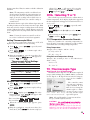
using the Reset (RST) option (page 18), use the TC
option to select the correct thermocouple. Reset
changes the thermocouple selection to Type-S.
From
Press
, press
appears.
or
(Degrees of temperature change per hour)
(Degrees of temperature change per minute)
repeatedly until
. Use the and keys to select
.
After selecting one of the above, press
Press
to return to
.
.
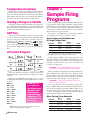
AOP1, AOP2 /Auxiliary Outlets
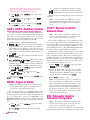
Select Vent Fan or Alarm for the Auxiliary Outputs
The optional AOP1 and AOP2 (Auxiliary Outputs) are
for electrical receptacles mounted in the kiln’s switch box.
The outlets can each power a kiln vent or an external
alarm, such as a bell. (The AOP outlet is a special-order
option that might not be included on your kiln.)
The choices in the AOP1 and AOP2 options:
I
I
I
This choice sends power to the AOP receptacle whenever the alarm sounds. (See Temperature Alarm, page 12.) Plug in a loud bell to alert you,
from a distance, that the kiln has reached the alarm
temperature. (Controllers with pre-20A software: Select
.)
Use this setting if your kiln does not
have the AOP outlet.
This option adds a
prompt for fan (
) to each segment during programming (page 8). (Controllers with pre-20A software: Select
or
—whichever appears.)
From
Press
or
or
, press
appears.
repeatedly until
. Use the and keys to select
.
3 After selecting one of the above, press
to return to
.
. Press
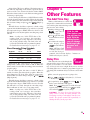
RATE / Types of Rates
Note: This feature is included on controllers with
software version 18D or newer. To look up your software version, see the SOFT option, page 18.
The standard method of programming firing rate is
degrees of temperature change per HOUR. At the factory,
we can set up your controller to calculate rate instead as degrees of temperature change per MINUTE, or as
ELAPSED TIME needed to reach a temperature. The
RATE option shows you which method your controller
uses:
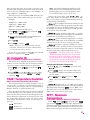
From
, press
appears.
Press
16 Ramp-Hold
repeatedly until
. You will see one of the following:
(Elapsed time needed to reach a temperature)
Only the factory can change the type of rate used in your
controller.
Note: If your controller uses TIME rate, enter the
hours/minutes that each segment will take to reach its
target temperature. (Example: 1 hour, 30 minutes =
01.30.)
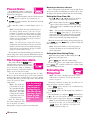
COST / Electric Cost Per
Kilowatt-Hour
Note: This feature is included on controllers with
software version 18D or newer. To look up your software version, see the SOFT option, page 18.
The controller can figure the cost of a firing if you enter
the cost of electricity for your area (and kiln wattage—see
next option). The cost of electricity is figured in kilowatt-hours (KWh). A kilowatt-hour is 1,000 watts of electricity running for 1 hour. (10 – 100-watt light bulbs glowing for one hour consume 1 KWh of electricity.)
To find what the power company charges you for a kilowatt-hour, look at your electric bill, call your power company, or visit their website. The electric rate may vary depending on the time of year and amount of electricity you
use. In the summer, rates in some areas are higher. Also,
add the other costs listed on your electric bill, such as
power transmission charges, taxes, etc.
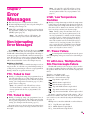
From
, press
appears. Press
.
repeatedly until
From an electric bill, enter the cost of a kilowatt-hour. Place cents to the right of the decimal.
Round off fractions. (Example: Enter 9.25 cents
per kilowatt-hour as 00.09.) Press
.
Press
to return to
.
Note: You can enter the cost in U. S., Canadian, or
Euro cents, British pence, Indian paisas, or any other
money system that is based upon 100 units (i.e. 100
cents = 1 dollar.) If your system is based upon 1000
units, such as the Libyan dirham, the Oman baiza, or
the Kuwait fil, divide the cost by 10. Example: Enter
140 as 00.14. Then multiply by 10 the cost of a firing
shown in the controller display.
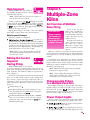
KW / Kilowatts Used to
Calculate Firing Cost
Note: This feature is included on controllers with
software version 18D or newer. To look up your software version, see the SOFT option, page 18.
To figure the cost to fire your kiln, the controller needs
to know how many kilowatts your kiln uses. Look at your