1
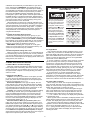
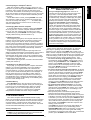
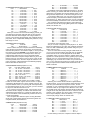
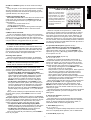
SYMPTOMS
The computer doesn’t react,
behaves erratically, or
“freezes” during a game.
POSSIBLE CAUSES
ACTION TO TAKE
• Batteries are not installed correctly.
• Reinstall the batteries, making sure to observe
the correct polarity.
• Batteries are weak or bad.
• Replace the batteries.
• Static discharge or an electrical disturbance has
caused a lock-up.
• Press into the hole marked ACL to reset the
computer (see Section 9.1).
The display is difficult to read.
• Batteries are weak or bad.
• Replace the batteries with fresh alkalines.
The computer won’t make a
move.
• The Auto Answer option may be turned off.
• The computer only responds automatically if
Auto Answer is on (see Section 5.1).
• You may be on a level where the computer
thinks for a long time.
• To interrupt the computer and force it to make a
move, press ENTER.
• Is it your turn? Is your King in check? Will your
move put your King into check? Are you trying to
castle incorrectly? Are you moving to an illegal
square?
• Review the chess rules. Verify the position to
make sure it is correct (see Section 8.1).
• The computer is thinking (its color symbol is
flashing in the display).
• To interrupt the computer, press ENTER.
An error beep sounds when a
square is pressed.
• You have not entered the computer’s last move
correctly (wrong from or to square).
• Check the display, and press the correct square
to complete the computer’s move.
You hear a series of beeps,
and flashing lights indicate
one of your pieces.
• Coach Mode is activated, and a Capture Alert is
advising that one of your pieces is in danger.
• Make your next move, or take back your last
move and make a different one. (see Section
5.1).
You hear a series of beeps,
and flashing lights indicate a
move.
• Coach Mode is activated, and a Tactical Alert is
advising that you are committing a blunder.
• Enter the computer’s move, or take back your
last move and make a different one. (see
Section 5.1).
You can’t exit Position Mode
with CLEAR—the computer
only beeps.
• You have set up an illegal position. A King may
be in check, it is opponents turn to move, you
may have too many pawns on the board, etc.
• Check your position, and make the necessary
changes (see Section 8.2). Then press CLEAR
again to exit Position Mode.
The display is showing _.
• You are in Position Mode, and have pressed
ENTER to clear the board.
• To clear the board, press ENTER once more; to
cancel, press CLEAR (see Section 8.2).
The computer seems to be
making illegal moves.
• The computer has made a special move, such
as en passant, castling, or a pawn promotion.
• Review the chess rules. Verify the position as
described in Section 8.1.
• Your board position is incorrect—pieces have
been moved.
• Verify the position (see Section 8.1).
• Batteries are running out.
• Replace the batteries with fresh alkalines.
• The computer may be on a low level, where it
moves quickly and plays weaker than normal
because its search depth is limited.
• Press LEVEL to see which level is selected
(see Section 3). Change to another level, if
desired.
• Batteries are running out.
• Replace the batteries with fresh alkalines.
The computer is silent.
• The Silent Mode option may be activated.
• Check the option settings (see Section 5.1).
You are using an optional ACDC adapter, but the computer
doesn’t work.
• Wrong adapter type, incorrect voltage rating, or
defective adapter.
• Use only the recommended AC-DC adapter, as
specified in Section 9.3.
The computer won’t accept
your move.
The computer is making
instant or irrational moves.
13
ENGLISH
TROUBLESHOOTING GUIDE