1
English
Table of Contents
PICTURES OF THE ONE FOR ALL 4 REMOTE . . . . . . . . . . . . . . 3
BATTERIES . . . . . . . . . . . . . . . . . . . . . . . . . . . . . . . . . . . . . . . . . . . . . . . . 4
THE KEYPAD
.............................................4
INSTALLATION
SETTING UP THE ONE FOR ALL 4 . . . . . . . . .Page 6
(How to set up the ONE FOR ALL 4 to control your devices)
• Direct code set up
....................................6
• Search Method . . . . . . . . . . . . . . . . . . . . . . . . . . . . . . . . . . . . . . . 7
SET UP CODES
Televisions . . . . . .
Video Recorders .
Satellite Receivers
Cable Converters
DVD Players . . . . .
...
...
..
...
...
.
.
.
.
.
.
.
.
.
.
.
.
.
.
.
.
.
.
.
.
.
.
.
.
.
.
.
.
.
.
.
.
.
.
.
.
.
.
.
.
.
.
.
.
.
.
.
.
.
.
.
.
.
.
.
.
.
.
.
.
.
.
.
.
.
.
.
.
.
.
.
.
.
.
.
.
.
.
.
.
.
.
.
.
.
.
.
.
.
.
.
.
.
.
.
.
.
.
.
.
.
.
.
.
.
.
.
.
.
.
.
.
.
.
.
.
.
.
.
.
.
.
.
.
.
.
.
.
.
.
.
.
.
.
.
.
.
.
.
.
.
.
.
.
.
.
.
.
.
.
.
.
.
.
.
.
.
.
.
.
.
.
.
.
.
.
.
.
.
.
.
.
.
.
.
12
17
19
22
22
CODE BLINK OUT . . . . . . . . . . . . . . . . . . . . . . . . . . . . . . . . . . . . . . . . . 8
(To find out which code is currently programmed)
QUICK CODE REFERENCE . . . . . . . . . . . . . . . . . . . . . . . . . . . . . . . 8
EXTRA FEATURES
Mode re-assignment (Changing a device mode) . . . . . . . . . . . . 9
Colour and Brightness . . . . . . . . . . . . . . . . . . . . . . . . . . . . . . . . . . 10
Volume Punch Through . . . . . . . . . . . . . . . . . . . . . . . . . . . . . . . . . 10
TROUBLE-SHOOTING
Problem & Solution . . . . . . . . . . . . . . . . . . . . . . . . . . . . . . . . . . . . 11
About Your ONE FOR ALL 4
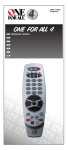
Congratulations on your purchase of the ONE FOR ALL 4 Universal
Remote Control. By choosing the ONE FOR ALL 4 remote you have opted
for the User Friendly remote control solution. Made according to the
highest quality, the ONE FOR ALL 4 will provide you with long-term
satisfaction. Please read these enclosed instructions carefully before
putting your ONE FOR ALL 4 to use.
Your ONE FOR ALL 4 Remote Package contains:
• Your ONE FOR ALL 4 Remote
• Your ONE FOR ALL 4 Manual
Your Manual is divided into two parts: the set-up instructions and the
device codes.
PLEASE DO NOT DISCARD THIS MANUAL AS YOU MAY NEED IT
AGAIN IN THE FUTURE!
Your ONE FOR ALL 4 can operate four devices: a Television, a Video
Recorder, a DVD Player and a Satellite Receiver or Cable Converter.
2
WWW.ONEFORALL.COM