1
Contents
Chapter 1 - Introduction and Description ..................................................... 5
Introduction ................................................................................................................................................ 6
Preview of this Guide ................................................................................................................................. 7
Typical Application ...................................................................................................................................... 8
Front Panel Description ............................................................................................................................. 11
Back Panel Description ............................................................................................................................ 12
Power Connector ............................................................................................................................... 12
Command Connector ......................................................................................................................... 12
10BASE-T (Ethernet) Connector ....................................................................................................... 12
Voice/Fax Channel 1 and 2 ................................................................................................................ 12
Specifications ........................................................................................................................................... 13
Ethernet Port ...................................................................................................................................... 13
Command Port ................................................................................................................................... 13
Voice/Fax Channel 1 and 2 ................................................................................................................ 13
Electrical/Physical .............................................................................................................................. 13
Chapter 2 - Installation ................................................................................. 14
Installing Your MultiVOIP ..........................................................................................................................
Configure and Install Your Host MultiVOIP ........................................................................................
Configure Your Client MultiVOIPs ......................................................................................................
Deploy the VOIP Network ..................................................................................................................
Safety Warning Telecom ..........................................................................................................................
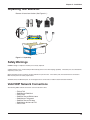
Unpacking Your MultiVOIP .......................................................................................................................
Safety Warnings .......................................................................................................................................
Valid VOIP Network Connections .............................................................................................................
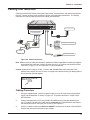
Cabling Your MultiVOIP ............................................................................................................................
Cabling Procedure .............................................................................................................................
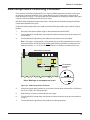
E&M Jumper Block Positioning Procedure ..............................................................................................
15
15
15
15
15
16
16
16
17
17
19
Chapter 3 - Software Loading and Configuration ...................................... 20
Installing Your MultiVOIP Software ...........................................................................................................
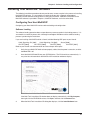
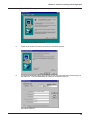
Configuring Your Host MultiVOIP .......................................................................................................
Configuring Your Client MultiVOIPs ..........................................................................................................
Deploy the VOIP Network ..................................................................................................................
Remote Site Administrator .................................................................................................................
21
21
31
36
37
Chapter 4 - MultiVOIP Software ................................................................... 38
Introduction ..............................................................................................................................................
Before You Begin ...............................................................................................................................
MultiVOIP Configuration ...........................................................................................................................
Changing Channel Parameters ................................................................................................................
Interface .............................................................................................................................................
Voice/Fax ...........................................................................................................................................
Regional .............................................................................................................................................
Changing the Phone Directory Database .................................................................................................
Changing IP Parameters ..........................................................................................................................
ProxyServer .......................................................................................................................................
Viewing Call Progress ..............................................................................................................................
Applications Setup ...................................................................................................................................
Viewing Statistics .....................................................................................................................................
IP Statistics ........................................................................................................................................
SNMP Statistics .................................................................................................................................
39
39
40
41
41
42
44
45
47
47
48
48
49
49
51
iii