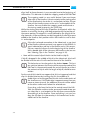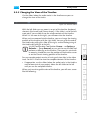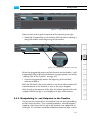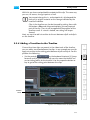
1
Appendix
A.5.3 XML Files
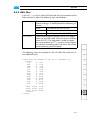
A 3D LUT *.xml file is a plain ASCII text file that has to conform to the
XML standard. It offers the following tags and attributes:
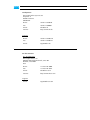
<LUT3D>
<values>
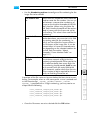
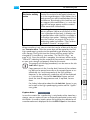
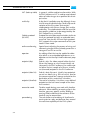
The root element/base tag that includes the other elements and tags. It should provide the following attributes:
name
The name of the 3D LUT file.
N
The number of nodes, i.e. 17.
BitDepth
The bit depth of the 3D LUT file.
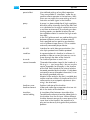
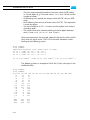
Child element/tag that contains the R’G’B’ output
values for the RGB nodes. Each line consists of three
values (R’G’B’). The separation is made by spaces.
You have to define all 173 × 3 values and the triplets
have to be in ascending order. The values have to be
stated according to the bit depth.
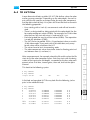
The following shows an example of a 3D LUT XML file (value pairs in
the middle left out):
<LUT3D name='DVS Example 3D LUT' N='17' BitDepth='16'>
<values>
3113
0
2674
3011
0
2341
3055
0
2484
2833
0
3307
2721
0
4971
3078
0
7032
4249
0
9383
5632
0 12272
6910
0 15632
7805
0 18808
8417
0 21373
8964
0 23256
9366
0 24656
...
65535 65395 57730
65535 65378 57973
65535 65368 58109
</values>
</LUT3D>
1
2
3
4
5
6
7
8
9
A
I
A-17