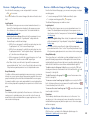
1
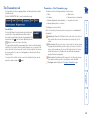
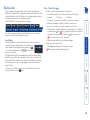
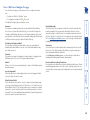
Channels > Add or Configure Channel Group Channel Group Membership Allows you to determine which channels should be members of the group. By making a channel part of the group, each channel automatically inherits the key settings of the group. To add a channel to the group: Highlight one or more (use the CTRL key if selecting more than one) channel names in the left list and then click to add the name(s) to the right list. Note: You can also include or exclude individual channels by double clicking on them. To add all channels to the group: Click to move all channel names from the left to the right list. To remove a channel from the group: Highlight one or more (use the CTRL key if selecting more than one) channel names in the right list and then click to move the name(s) back to the left list. To remove all channels from the group: Click to move all channel names from the right to the left list. Permissions This section allows you to determine which users and user groups should be given access to channels within this group. Individual users and user groups are handled within separate sub-sections, but both use the same method for inclusion and exclusion. To include one or more users (or groups): Highlight one or more (use the CTRL key if selecting more than one) user/group names in the left list and then click to add them to the right list. To include all users (or groups): Click to move all user/group names from the left to the right list. To remove one or more users (or groups): Highlight one or more (use the CTRL key if selecting more than one) user/group names in the right list and then click to move them back to the left list. To remove all users (or groups): Click to move all user/group names from the right to the left list. Channel Group and Description These are all useful ways for you to identify the channel and its origins. A consistent naming and description policy is particularly useful in large installations. stallation Channel groups allow easy permission-granting for several channels at once. Permissions can be set to determine which users can access channels within a channel group. From the View Channels page, you can add a new channel group or configure an existing channel group: • To create a new channel: Click the “Add Channel Group” option. • To configure an existing channel: Click “the View Channel Groups” option and then click for a group. The Add and Configure Channel Group pages are similar in content. 20