1
Mixer
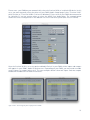
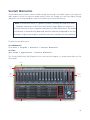
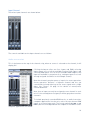
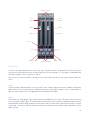
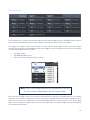
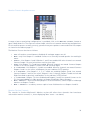
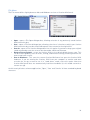
Scarlett MixControl lets you create up to - mono or ) stereo mixes, each of which may have up to 18
input channels. A combination of mono and stereo mixes, up to the maximum of - mono-equivalent,
is also permissible.
Each mix may be formed from any of the 18 of the Scarlett 18i20’s inputs and/or any of the 20 DAW
outputs, and each mix may be sent to any number of outputs. All mixer controls are independent for
each mix.
The Mixer Section is used to create mixes for monitoring and foldback purposes. The mixes you
create do not affect how the audio inputs are routed to the DAW, nor does it affect the audio level
of the signal to be recorded. How you set up the mixer section only affects what is sent to the audio
outputs.
The levels of the input signals sent to the DAW for recording are adjusted on the Scarlett 18i20 using
the GAIN controls.
An example of use for the mixer is recording multiple musicians simultaneously, e.g., a guitarist and
a vocalist performing at the same time. To record them successfully, you need to provide them with
a previously-recorded backing track, and a feed of each other’s input signal. The guitarist will need
to hear the backing track and his/her guitar mixed prominently, plus some vocals. The vocalist will
need to hear the backing track, lots of his/her own vocals, plus a little of the guitar. You can create a
separate mix for each performer with the exact mix and level that he/she needs. Each musician will
have his/her own mix created using a different mixer tab.
Mixer Tab
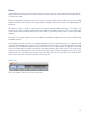
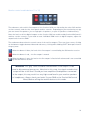
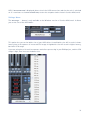
There are - Mixer Tabs, one for each mono mix.
21