1
MultiModemDSVD User Guide
Contents
Contents
Chapter 1 - Introduction ............................................................................ 6
Introduction ............................................................................................................................. 7
Product Description ................................................................................................................ 7
Features .................................................................................................................................... 7
What Is in Your Modem Package? ....................................................................................... 9
Related Manuals ..................................................................................................................... 9
Chapter 2 - Installation ............................................................................ 10
Introduction ........................................................................................................................... 11
What You Will Need ............................................................................................................ 11
Safety Warnings .................................................................................................................... 11
Step 1: Mount the Feet .......................................................................................................... 12
Step 2: Change the Speaker Jumper (MT5600DSDV only) ............................................. 12
Opening the Modem ..................................................................................................... 12
Changing the Speaker Jumper ..................................................................................... 13
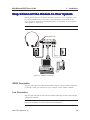
Step 3: Connect the Modem to Your System .................................................................... 14
RS232 Connection .......................................................................................................... 14
Line Connection ............................................................................................................. 14
Phone Connection .......................................................................................................... 15
Microphone Connection (MT5600DSDV only) ......................................................... 15
Speaker Connection (MT5600DSDV only) ................................................................. 15
Power Connection ......................................................................................................... 15
Power-On Test ............................................................................................................... 15
Surge Protectors and Lightning ................................................................................... 15
Step 4: Install the Modem Driver ....................................................................................... 16
Installing the Modem Driver ....................................................................................... 16
Removing Your Old Modem Driver ........................................................................... 16
Step 5: Install PhoneTools Software ................................................................................... 17
Chapter 3 - Operation .............................................................................. 18
Introduction ........................................................................................................................... 19
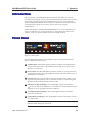
Front Panel ............................................................................................................................. 19
Configuring the Modem ...................................................................................................... 20
Connecting to the Internet ................................................................................................... 20
Dial-Up Networking ............................................................................................................ 21
Dial-Up Networking in Windows 95/98 ................................................................... 21
Dial-Up Networking in Windows Me ........................................................................ 22
Dial-Up Networking in Windows NT 4.0 .................................................................. 22
Dial-Up Networking in Windows 2000 ...................................................................... 23
Fax Operation ........................................................................................................................ 24
Voice Operation .................................................................................................................... 24
To Originate a Voice Call in Speakerphone Mode ................................................... 24
To Answer a Voice Call in Speakerphone Mode ...................................................... 25
To Originate a DSVD Call Using the Headset (MT5600DSDV only) ..................... 25
To Answer a DSVD Call Using the Headset (MT5600DSDV only) ....................... 26
Multi-Tech Systems, Inc.
3