1
2.3.6
First, Second, Third, and Fourth SATA Master
Primary IDE Master
Select Menu
Item Specific Help
x Auto Acoustic Management
Extended IDE Drive
Access Mode
Disabled
[Auto]
[Auto]
Capacity
0 MB
Cylinder
Head
Precomp
Landing Zone
Sector
0
0
0
0
0
Selects the type of
fixed disk connected
to the system.
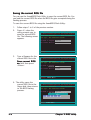
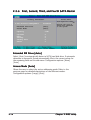
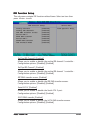
Extended IDE Drive [Auto]
Select [Auto] to automatically detect a SATA hard disk drive. If automatic
detection is successful, Setup automatically fills in the correct values for
the remaining fields on this sub-menu. Configuration options: [None]
[Auto]
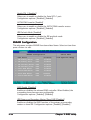
Access Mode [Auto]
Allows the user to select the sector addressing mode. Refer to the
previous page for detailed descriptions of the different modes.
Configuration options: [Large] [Auto]
2-14
Chapter 2: BIOS setup