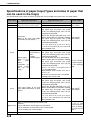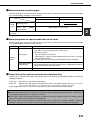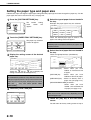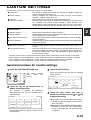
1
ADJUSTING THE EXPOSURE
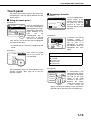
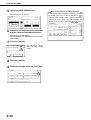
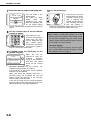
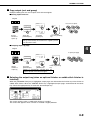
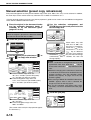
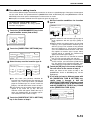
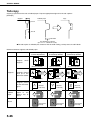
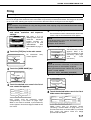
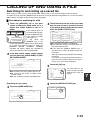
Select an appropriate exposure mode for the original to be copied. The selections are AUTO, TEXT, TEXT/PHOTO
and PHOTO.
■ Automatic exposure adjustment
UTO
The default exposure
ORIGINAL
setting is "AUTO", which
automatically
adjusts
the exposure for the
original. To select the
exposure mode, or to
AUTO
A4
manually adjust the
PAPER SELE T
exposure level, follow the steps below.
AUTO
EXPOSURE
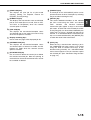
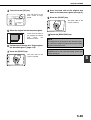
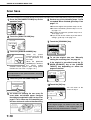
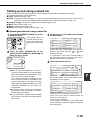
■ Selecting the exposure mode and manually adjusting the exposure level
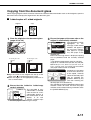
1 Touch the [EXPOSURE] key.
3 Adjust the exposure level.
AUTO
ORIGINAL
AUTO
EXPOSURE
1
MANUAL
3
5
Touch the
key to
make darker copies.
Touch the
key to
make lighter copies.
AUTO
A4
PAPER SELE T
2
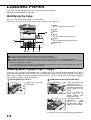
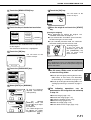
Select [TEXT], [TEXT/PHOTO] or [PHOTO]
as appropriate for the original to be
copied.
0
TEXT
AUTO
ORIGINAL
OK
ORIGINAL
IMAGE TYPE
AUTO
MANUAL
NOTE
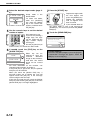
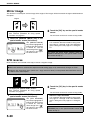
Exposure levels in TEXT mode
1 to 2: Dark originals such as newspaper
3:
Normal density originals
4 to 5: Originals written with pencils or light colour
characters
EXPOSURE
TEXT/PHOTO
1
3
5
AUTO A4
PAPER SELECT
PHOTO
To select [TEXT], touch the [AUTO
key so that [MANUAL] is selected.
100%
COPY RATIO
MANUAL]
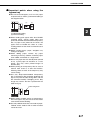
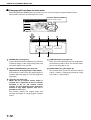
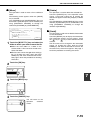
Exposure modes selection
TEXT:
This mode is useful for producing
dark text copies with minimum
background.
TEXT/PHOTO: This provides the best balance for
copying an original which contains
both text and photos. This mode is
also useful for copying printed
photographs.
PHOTO:
This mode provides the best copies
of photographs with fine details.
4-14
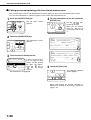
About the steps that follow
If an automatic document feeder is being used,
see pages 4-7 through 4-10. If the document
glass is being used, see pages 4-11 through 413.
NOTES
● To return to the automatic exposure mode, touch
the [AUTO / MANUAL] key to highlight [AUTO],
and then touch the [OK] key.
● The exposure level used in automatic exposure
mode can be adjusted in the key operator
programs. See "Exposure adjustment" on page 14
of the key operator's guide)