1
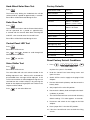
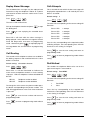
Entry / Exit Warning Tone
Hard-Wired Siren
Default setting: ON
Default setting: equal to Alarm Duration
Press
8
The zone 1 LED will illuminate to indicate the current
status of the Entry/Exit warning tone.
LED ON
LED OFF
1
Press
state.
ESC
0
The zone LED corresponding to the current setting
will illuminate.
Tone enabled
Tone disabled
to change the setting to the opposite
Press
to save the new setting and return to
programming mode.
Press
saving.
1
Press
0
2 seconds
1
30 seconds
2
1 minute
3
3 minutes
4
5 minutes
5
equal to Alarm Duration
Press the key corresponding to the required Hardwired
output activation period, the corresponding zone LED
will illuminate as the setting is changed.
to return to programming mode without
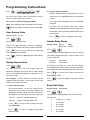
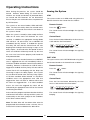
Jamming Detection
Press
to save the new setting and return to
programming mode.
This feature controls the Control Panels RF jamming
detection circuitry, which if enabled, will continuously
scan for radio jamming signals on the system
operating frequency.
Press
saving.
ESC
to return to programming mode without
Default setting: OFF
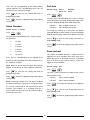
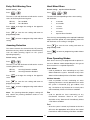
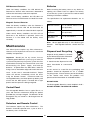
Zone Operating Modes
Press 9
Each alarm zone may be programmed to operate in
one of 5 different modes depending on the type of
alarm function it is required to perform.
The zone 1 LED will illuminate to indicate the current
Jamming Detector status.
Panic Alarm
LED ON
LED OFF
Press
state.
1
Jamming Detection enabled
Jamming Detection disabled
- used to provide 24 hour monitoring of any Panic
Switch fitted to the system. Activation of any Panic
Switch will immediately initiate a Full Alarm condition.
to change the setting to the opposite
24 Hour Intruder
- used to provide 24 hour monitoring of areas
requiring continuous security protection even while
the system is Disarmed, (e.g. gun cabinet, safe
etc). Activation of any Detector on a security zone
will immediately initiate a Full Alarm condition.
Press
to save the new setting and return to
programming mode.
Press
saving.
ESC
to return to programming mode without
Note: The jamming detection program setting will
only control the jamming detection feature in the
Control Panel.
Fire
- used to provide 24 hour monitoring of any
Fire/Smoke Detectors fitted to the system.
Activation of any Detector will immediately initiate
a Full Alarm condition.
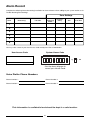
Test
- when the system is armed, any Detector on the zone
will cause the appropriate zone LED on the Control
Panel to flash without initiating a Full Alarm condition.
21