1
2
Technical Manual
Introduction
Thank you for your purchase the PosPRO till.
We will try to treat every aspect of the PosPRO till in this manual .
This first part will lead you through the installation and setup of our software on
your system.
After which we will introduce the different modules and explain all the options.
When you call our helpdesk, please have the following at hand:
· The version number of the PosPRO software
· The version of this manual
· The exact steps taken to execute the task you wanted to complete
· The messages the system might have displayed
· The log and *.ini files of your PosPRO till
Please take in account that when you call our support desk, you might be
asked to; execute actions on one of your terminals, to provide the log files (this is
the content of the PosPRO log directory, by default 'C:\Program
Files\Inepro\PosPRO\Log\') and the *.ini files (this is the content of the PosPRO
INI directory, by default 'C:\Program Files\Inepro\PosPRO\INI\').
1.1
Software Requirements
With the installation of PosPRO a number of software components are needed.
Here you will find a list that are needed to run our PosPRO software.
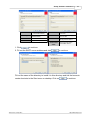
Windows Installer
The Windows Installer is an engine that is used to install, remove or repair
software on Windows operating systems. Previously the name of Windows
Installer was Microsoft Installer. Windows Installer files often have the extension
.msi.
You will need version 4.5 for the installation of PosPRO.
http://www.inepro.com
Version 5.0.1 Inepro B.V.