1
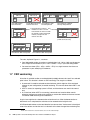
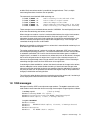
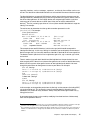
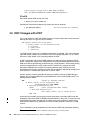
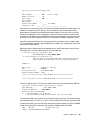
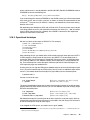
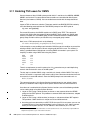
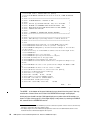
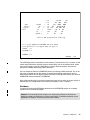
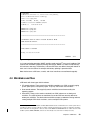
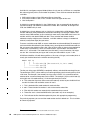
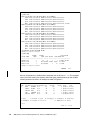
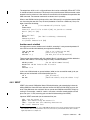
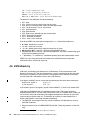
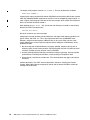
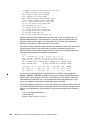
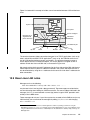
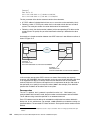
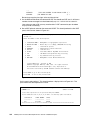
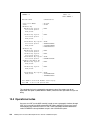
AWSINF013I AWSINF012I Action: AWSINF013I Informational message only. No corrective action needed but AWSINF013I if errors are present the DEVMAP cannot be used to start system. All message numbers are in the form of AWScccnnns, where: ccc is the component code issuing the message. nnn is the message number within the component. s is the message severity (Debug, Information, Warning, Error, Severe, Terminal) The message code specified on the msgInfo command can omit the AWS prefix and the severity code. For example, msgInfo chk208 is sufficient. There is also an environment variable named Z1090_MSG to control message formatting. It may be set to FULL (the default), CODE (which will only print the message number and no text), TEXT (which prints the message text and no code) and SHORT (which drops the AWS prefix on the message number). 1.9 TCP/UDP ports The zPDT token device is accessed through TCP/UDP and requires a port number. A well known port number has been assigned for this device; this is Linux port 9450. This may be changed, as noted in “License and serial number servers” on page 143. By default, the Unique Identity Manager (UIM) function uses Linux port 9451; this is only meaningful when using a remote license manager. If you use the awsctc device manager, be aware that it uses Linux port 3088 by default. The aws3274 device manager (for “local” 3270 connections) typically uses Linux port 3270. The migration tool (see “DASD volume migration” on page 113) uses port 3990 by default. When using these ports for connections outside your base Linux machine, you must ensure that any firewall permits use of these ports. 1.10 Dual boot There is no explicit zPDT support for dual boot systems; a dual boot system should be transparent to zPDT operation. There are many ways to produce a dual boot system. Providing a base system for zPDT, whether it uses a dual boot setup or not, is up to the user. The following discussion describes one method, based on an earlier SUSE Linux release and Windows XP. We started with a ThinkPad containing Microsoft Windows XP installed in a partition that used the whole disk. (The internal disk was nominally 100 GB.) We needed to shrink the Windows partition to make room for our Linux partitions. Our first step was to obtain the PowerQuest Partition Magic product. Our version was resident on two diskettes. Partition Magic displayed a single hard disk partition with the following characteristics: Partition *:WindowsXP Type NTFS Size MB 95393.0 Used MB 11627.8 Unused MB 83765.0 We used the option Operations Resize/Move as follows: 10 IBM System z Personal Development Tool: Volume 3 Additional Topics Status Active Pri/Log Primary