1
Multi-Tech FaxFinder Quick Start
Server Installation
h. Dial Prefix (or ‘access digit’). When the FaxFinder is
attached to an extension of a PBX or key phone system, an
access digit is often required to ‘get an outside line’ (that is,
to make a connection to the PSTN). Often a “9” or an “8” is
used for this purpose. You can also add a comma (“,”) to
insert a pause that may be required to receive dial tone for
the outside line.
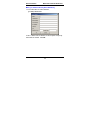
If needed, enter the access digit and optional comma in the
“Dial prefix” field. Inform FaxFinder client users that they
should not insert any access digits when entering fax
numbers in the FaxFinder Send Fax screen or in their
FaxFinder Address Books. Instead, client users should
enter fax numbers the way they would dial the number from
an ordinary residential phone line. Finally, avoid any
access digit combination that might predispose client users
to make fax calls accidentally to 911 or any other
official/emergency phone number.
i. Click Update.
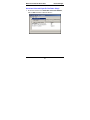
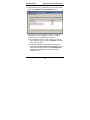
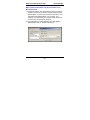
j. Click on Current Status. Watch the Current Status: POTS
Modem 1 portion of the screen. The “State” of the POTS
Modem should be “Waiting for Ring.”
k1. Test Call - for PBX Routing Mode (where the Routing
field is set either to “DTMF Digits” or to the mode code of a
specified brand of PBX). From an ordinary POTS phone,
dial one of the PBX phone numbers used for incoming faxes
in the FaxFinder system. Dial the PBX phone number as
you would from an outside line (it will not work to dial the
number as if it were an ordinary 3- or 4-digit extension).
29