1
Operafone IP Executive Installation Guide
1.
Introduction ...................................................................................................................................... 5
2.
Remote Teleworker Connection ............................................................................................. 6
2.1
2.2
2.3
2.4
2.5
3.
Local LAN Connection .............................................................................................................. 10
3.1
3.2
3.3
3.4
3.5
4.
Wiring Connections..................................................................................................................... 6
Installing and Programming the Advantage IP Executive for Remote working............................ 7
Step 1
Cabling ........................................................................................................................... 7
Step 2
Power.............................................................................................................................. 7
Step 3
Starting the phone ............................................................................................................ 7
Step 4
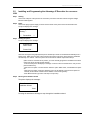
Running the Installation wizard ......................................................................................... 7
Step 5
Enter the address of the Opera system ................................................................................ 8
Step 6
Extension name and Extension PIN ................................................................................... 8
Step 7
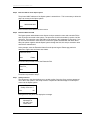
Quality of Service ............................................................................................................ 8
Connected State........................................................................................................................... 9
Unconnected State ....................................................................................................................... 9
Programming the phone using a web browser ............................................................................. 9
Wiring Connections................................................................................................................... 10
Installing and Programming the Advantage IP Executive for use over a LAN ........................... 11
Step 1
Cabling ......................................................................................................................... 11
Step 2
Power............................................................................................................................ 11
Step 3
Starting the phone .......................................................................................................... 11
Step 4
Running the Installation wizard ....................................................................................... 11
Step 5
Enter the address of the Opera system .............................................................................. 12
Step 6
Extension Name and PIN ................................................................................................ 12
Step 7
Quality of Service .......................................................................................................... 12
Connected Stated....................................................................................................................... 13
Unconnected State ..................................................................................................................... 13
Programming the phone using a web browser ........................................................................... 13
Configuring the Opera Flexicom/4.12em system for IP system phones .......... 14
4.1
4.2
4.3
4.4
4.4.1
5.
Configuring the Opera 20IP/4IP system for IP system phones............................ 32
5.1
5.2
5.3
5.4
5.5
5.6
6.
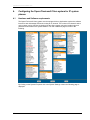
Hardware and Software requirements ....................................................................................... 14
Extension Name and Extension PIN........................................................................................... 16
Default Gateway........................................................................................................................ 17
Port Forwarding........................................................................................................................ 18
Example: How to Configure Port Forwarding on the Netopia Modem Router Cayman 3346 ........ 18
Auto discovery on the LAN........................................................................................................ 32
Universal Plug and Play at the Advantage site ........................................................................... 32
If the modem router is not at the default Gateway IP address.................................................... 33
If the modem router does not support Universal Plug and Play ................................................. 33
Connecting an IP system phone remotely over Internet ............................................................. 34
Entering the system phone IP registration parameters manually ............................................... 34
Trouble Shooting .......................................................................................................................... 35
3