1
Table of Contents
Contents
Chapter 1 – Product Description and Specifications ............................................................... 4
Product Description ................................................................................................................................................................... 4
Universal IP ........................................................................................................................................................................ 4
MultiModem MTCMR-H (HSDPA) ...................................................................................................................................... 5
MultiModem MTCMR-E (EDGE) ........................................................................................................................................ 5
MultiModem MTCMR-G-F4 (GPRS) ................................................................................................................................... 5
Safety ........................................................................................................................................................................................ 6
General Safety ................................................................................................................................................................... 6
RF Interference Issues ....................................................................................................................................................... 6
Vehicle Safety .................................................................................................................................................................... 6
Maintenance of the Wireless MultiModem .......................................................................................................................... 6
Handling Precautions ......................................................................................................................................................... 6
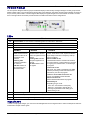
Front Panel ................................................................................................................................................................................ 7
LEDs .................................................................................................................................................................................. 7
Signal LEDs........................................................................................................................................................................ 7
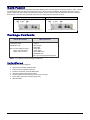
Back Panels............................................................................................................................................................................... 8
Package Contents ..................................................................................................................................................................... 8
Interfaces ................................................................................................................................................................................... 8
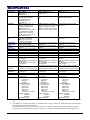
Specifications ............................................................................................................................................................................ 9
RF Specifications..................................................................................................................................................................... 10
Antenna Specifications ............................................................................................................................................................ 10
GSM/EGSM Antenna Requirements/Specifications ......................................................................................................... 10
Antennas Available from Multi-Tech Systems, Inc. .......................................................................................................... 10
PTCRB Requirements Note ............................................................................................................................................. 10
FCC Requirements Note .................................................................................................................................................. 10
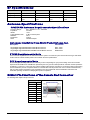
RS232 9-Pin Functions of the Female End Connector ............................................................................................................................... 10
GPIO (General Purpose Input/Output) 6-Pin Connector .......................................................................................................... 11
GPIO DC Characteristics.................................................................................................................................................. 11
Chapter 2 – Activation and Installation.................................................................................... 12
Activate Your Wireless Account............................................................................................................................................... 12
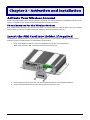
Insert the SIM Card into Holder, If required ............................................................................................................................. 12
Connect the Antenna, Serial Cable, GPIO Cable, and Power ................................................................................................. 13
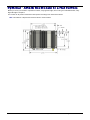
Optional – Attach the Modem to a Flat Surface ....................................................................................................................... 14
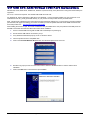
UIP USB CDC-ACM Virtual COM Port Installation .................................................................................................................. 15
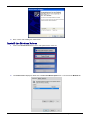
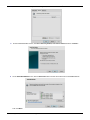
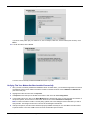
Install the Modem Driver................................................................................................................................................... 16
Chapter 3 – Using Your Wireless Modem ................................................................................ 20
Phone Numbers for the Wireless Modem ................................................................................................................................ 20
Examples of Useful AT Commands ......................................................................................................................................... 20
Verifying Signal Strength .................................................................................................................................................. 20
Checking Network Registration and Roaming Status ....................................................................................................... 20
Checking the Modem’s Identity ........................................................................................................................................ 20
Connecting to the Internet ....................................................................................................................................................... 21
Connecting to a GPRS/EDGE/HSDPA Network for Internet Access ................................................................................ 21
Create Your Dial-Up Connection in Windows Vista and XP ............................................................................................. 22
Generic Dial-Up Method - Non-Windows.......................................................................................................................... 23
Appendix A – Regulatory Compliance ..................................................................................... 24
EMC, Safety, and R&TTE Directive Compliance .............................................................................................................. 24
International Modem Restrictions ..................................................................................................................................... 24
FCC Part 15 Class B Statement ....................................................................................................................................... 24
Industry Canada ............................................................................................................................................................... 24
Appendix B – DC Power Cable ................................................................................................. 25
DC Power Cable Dimensions ........................................................................................................................................... 25
Appendix C - Waste Electrical and Electronic Equipment (WEEE) Statement ..................... 26
Appendix D – ROHS HT/TS Substance Concentration ........................................................... 27
Restriction of the Use of Hazardous Substances (RoHS) ................................................................................................ 27
Multi-Tech Systems, Inc. MultiModem iCell Intelligent Wireless Modem User Guide
3