1
Microboards Technology
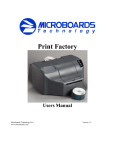
PF-2 PrintFactory
Table of Contents
Chapter 1 Introduction............................................................................................................................ 4
Chapter 2 Printer Description .................................................................................................................. 5
Front Panel Indicators and Buttons....................................................................................................... 5
What’s Included.................................................................................................................................... 5
Chapter 3 Installation............................................................................................................................... 6
Installing Ink Cartridges ....................................................................................................................... 6
Supported Ink Cartridges.................................................................................................................. 6
Ink cartridge troubleshooting............................................................................................................ 6
Loading / Replacing Ink Cartridges.................................................................................................. 6
Installing Disc Guide and Output Bin .................................................................................................. 7
Connecting to a Computer .................................................................................................................... 7
Parallel Port ...................................................................................................................................... 7
USB Port........................................................................................................................................... 7
Installing the Printer Driver .................................................................................................................. 8
USB Port and Parallel Port ............................................................................................................... 8
Windows 2000 install procedures:.................................................................................................... 8
Windows XP install procedures: .................................................................................................... 11
Multiple Printers ............................................................................................................................. 14
Installing SureThing CD Labeler Software ........................................................................................ 15
Chapter 4 Using the Printer ................................................................................................................... 19
Test and Alignment............................................................................................................................. 19
Print Test Disc ................................................................................................................................ 19
Align Disc....................................................................................................................................... 20
Loading Discs ..................................................................................................................................... 23
Printing Discs...................................................................................................................................... 24
Printing on Verbatim Vinyl CD-R discs............................................................................................. 28
Chapter 5 Printer Properties................................................................................................................... 30
Setup Tab ............................................................................................................................................ 30
Printing Recommendations............................................................................................................. 30
Features Tab........................................................................................................................................ 33
Color Tab ............................................................................................................................................ 34
Utility Tab........................................................................................................................................... 34
Print test CD ................................................................................................................................... 35
Print Alignment CD........................................................................................................................ 36
Clean Cartridge............................................................................................................................... 37
Ink Level......................................................................................................................................... 38
Chapter 6 Solve a Problem .................................................................................................................... 39
Chapter 7 Product Specifications........................................................................................................... 40
Chapter 8 Contact Information .............................................................................................................. 41
3