1
➢➣➢➣➢➣➢➣➢➣➢➣➢➣➢➣➢➣➢➣
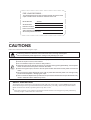
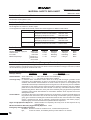
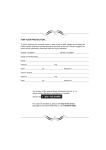
FOR YOUR RECORDS ...
To protect against loss or theft, record and retain for reference the
copier’s serial number located on the back of the unit.
Model Number
AR-207
Serial Number
Date of Purchase
Place of Purchase
Authorized Sharp Copier
Service Department Number
➢➣➢➣➢➣➢➣➢➣➢➣➢➣➢➣➢➣➢➣
➢➣➢➣➢➣➢➣➢➣➢➣➢➣➢➣➢➣➢➣➢➣➢➣➢➣➢➣➢➣➢➣➢➣
➢➣➢➣➢➣➢➣➢➣➢➣➢➣➢➣➢➣➢➣➢➣➢➣➢➣➢➣➢➣➢➣➢➣
CAUTIONS
Follow the cautions below when using this copier.
●
The fusing area is hot. Exercise care in this area when removing misfed paper.
●
Do not look directly at the light source. Doing so may damage your eyes.
The socket-outlet shall be installed near the equipment and shall be easily accessible.
Place the copier on a firm, level surface.
● Do not install the copier in a humid or dusty location.
● When the copier is not used for a long time, for example, during prolonged holidays, turn the power
switch off and remove the power cord from the outlet.
● When moving the copier, be sure to turn the power switch off and remove the power cord from the
outlet.
● Do not cover the copier with a dust cover, cloth or plastic film while the power is on. Doing so may
prevent heat dissipation, damaging the copier.
● Use of controls or adjustments or performance of procedures other than those specified herein may
result in hazardous laser radiation exposure.
●
●
SAFETY PRECAUTIONS
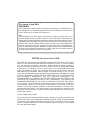
This Digital Copier is rated Class 1 and complies with 21 CFR 1040.10 and 1040.11 of the CDRH standards. This
means that the copier does not produce hazardous laser radiation. For your safety, observe the precautions below.
●
Do not remove the cabinet, operation panel or any other covers.
●
The copier’s exterior covers contain several safety interlock switches. Do not bypass any safety interlock by
inserting wedges or other items into switch slots.