1
Possible solutions are indicated with “
!?
” on the relative pages in these instructions.
Specifications
Recording system:
Recording and timer recording
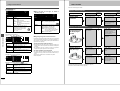
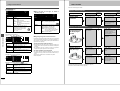
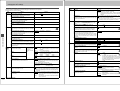
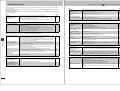
Cannot record.
≥You haven’t inserted a disc or the disc you inserted cannot be recorded on. Insert a disc the
unit can record onto.
≥The disc is unformatted. Format the disc so this unit can record on it.
≥The disc is protected with the write-protect tab. Use a ballpoint pen or similar to release the
write protection.
≥The disc is protected with DISC SETTING. Release the disc protection.
≥The disc is full or nearly full. Erase unneeded programs or use another disc.
8
Optical pick-up:
34
19
Recordable discs:
34
36
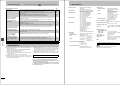
≥The guide channels are incorrect. Go to Channel in the SETUP menus and correct them with
“VCR Plusi CH Setting”.
≥The clock is wrong. Go to Set Up in the SETUP menus and correct it with “Clock Settings”.
13
≥The timer program is incorrect. Correct the program.
≥The unit is not on timer recording standby. (“Á” on the unit’s display is not on.) Press [Í, DVD
POWER] to turn “Á” on.
≥Different timer program times overlap.
≥The clock is wrong. Go to Set Up in the SETUP menus and correct it with “Clock Settings”.
32
—
The unit switches to standby
while making a timer recording.
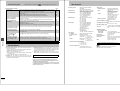
≥The disc has run out of space. Use a disc that has enough space to record the program.
—
The timer program remains
even after recording finishes.
≥The program remains if you select “DAILY” or “WEEKLY”.
≥The program remains if recording failed for some reason, but is cleared automatically at 4
a.m. two days later.
31
—
Timer recording does not
stop even when [∫] is
pressed.
≥Press [∫] and then [ENTER] within 5 seconds to turn “Á” off. Recording stops.
—
The available recording time
doesn’t increase even after
erasing recordings on the
disc.
≥As this unit is unable to erase data written to DVD-RAM with a computer, the available recording time does not increase. The data will be erased if you reformat the disc.
≥If the disc is dirty, wipe with the DVD-RAM/PD disc cleaner (optional) before formatting.
34
VCR Plusr programming
does not work properly.
Timer recording does not
work properly.
Reference
Page
Discs played:
—
54
9
Discs make sounds as they rotate. This does not indicate a malfunction.
Product Service
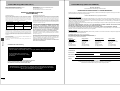
1. Damage requiring service—The unit should be serviced by qualified service personnel if:
(a)The AC power supply cord or AC adaptor has been damaged; or
(b)Objects or liquids have gotten into the unit; or
(c)The unit has been exposed to rain; or
(d)The unit does not operate normally or exhibits a marked change
in performance; or
(e)The unit has been dropped or the cabinet damaged.
2. Servicing—Do not attempt to service the unit beyond that
described in these operating instructions. Refer all other servicing
to authorized servicing personnel.
Recording time:
54
3. Replacement parts—When parts need replacing ensure the servicer uses parts specified by the manufacturer or parts that have
the same characteristics as the original parts. Unauthorized substitutes may result in fire, electric shock, or other hazards.
4. Safety check—After repairs or service, ask the servicer to perform
safety checks to confirm that the unit is in proper working condition.
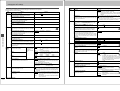
Video system
TV system:
Recording system:
Input:
DVD video recording standards
(DVD-RAM),
DVD video standards (DVD-R)
System with 1 lens, 2 integration
units (662 nm wavelength for DVDs,
790 nm wavelength for CDs)
12 cm 4.7 GB DVD-RAM discs
12 cm 9.4 GB DVD-RAM discs
8 cm 2.8 GB DVD-RAM discs
12 cm 4.7 GB DVD-R discs
(for General Ver. 2.0)
Max. 6 hours (using 4.7 GB disc)
XP: 60 minutes
SP: 120 minutes
LP: 240 minutes
EP: 360 minutes
12 cm 4.7 GB DVD-RAM discs
12 cm 9.4 GB DVD-RAM discs
8 cm 2.8 GB DVD-RAM discs
12 cm 4.7 GB DVD-R discs
(for General Ver. 2.0)
DVD-VIDEO discs
CD-Audio discs (CD-DA)
Video CD discs
CD-R/CD-RW discs
(CD-DA, Video CD formatted discs)
NTSC system, 525 lines, 60 fields
MPEG2 (Hybrid VBR)
LINE (pin jack), 1.0 Vp-p; 75 ≠
S connector
Y: 1.0 Vp-p; 75 ≠
C: 0.286 Vp-p; 75 ≠
Output:
LINE (pin jack), 1.0 Vp-p; 75 ≠
S connector
Y: 1.0 Vp-p; 75 ≠
C: 0.286 Vp-p; 75 ≠
Component video output (525p/525i):
Y: 1.0 Vp-p; 75 ≠
PB: 0.7 Vp-p; 75 ≠
PR: 0.7 Vp-p; 75 ≠
Antenna reception input:
TV Channel: 2ch–69ch, 75 ≠
CATV Channel: 1ch–125ch, 75 ≠
Audio system
Recording system:
Dolby Digital (XP/SP/LP/EP)
LINEAR PCM (XP mode only)
Input:
LINE (pin jack)
Reference input: 309 mVrms
FS: 2 Vrms (1 kHz, 0 dB)
Input impedance: 47 k≠
Output:
LINE (pin jack)
Reference output: 309 mVrms
FS: 2 Vrms (1 kHz, 0 dB)
Output impedance: 1 k≠
(Load impedance: 10 k≠)
Number of channels:
Recording:2 channels
Playback:2 channels
Other input/output connectors:
Digital audio optical output connector
Operating temperature range:
5 oC–40 oC (41 oF–104 oF)
Operating humidity range:
10 %–80 % RH (no condensation)
Clock unit:
Quartz-controlled 12-hour digital display
LASER Specification
Class f LASER Product
Wave length:
775–815 nm 655–666 nm
Laser power:
No hazardous radiation is emitted with
the safety protection
Power supply:
AC 120 V, 60 Hz
Power consumption:
26 W
Dimensions:
Approx. 430 (W)k79 (H)k306 (D) mm
[Approx.1615/16q(W)k31/8q(H)k121/16q(D)]
(excluding protrusions)
Mass:
Approx. 3.5 kg (7.7 lbs)
Power consumption in standby mode: approx. 3 W
[Note]
Specifications are subject to change without notice.
Mass and dimensions are approximate.
Reference
Troubleshooting guide
Product information
For product information or assistance with product operation:
In the U.S.A., contact the Panasonic Customer Call Center at
1-800-211-7262, or e-mail consumerproducts@panasonic.com, or
web site (http://www.panasonic.com).
In Canada, contact Panasonic Canada Inc. Customer Care Centre
at 1-800-561-5505, web site (www.panasonic.ca), or an authorized
Servicentre closest to you.
62
RQT6559
63
RQT6559