1
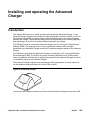
Installing and operating the Advanced Charger
●
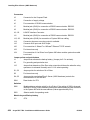
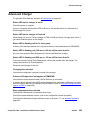
Language upload
See Installing and operating the Portable Device Manager (PDM) on page 239, or AIWS Device
Manager on page 322 for details.
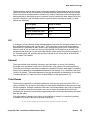
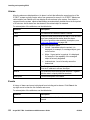
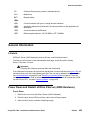
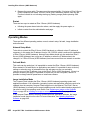
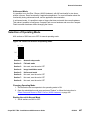
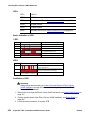
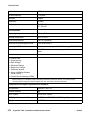
LED indications
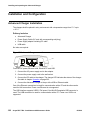
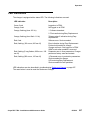
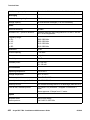
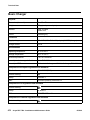
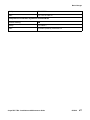
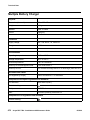
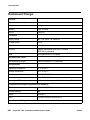
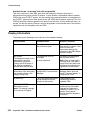
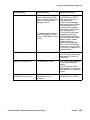
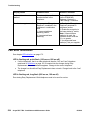
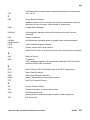
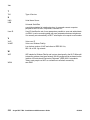
The charger is equipped with a status LED. The following indications are used:
LED indication
Description
Green, fixed
Logged on to PDM/AIWS.
Orange, fixed
Not logged on to PDM/AIWS.
Orange, flashing (1000 ms on, 1000 ms off)
1. Software download.
2. File transfer during Easy Replacement
Orange, flashing (100 ms on, 800 ms off)
"Change phone" indication during Easy
Replacement.
Red, fixed
Software error. Service needed.
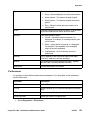
Red flashing
Parameter error
Red, flashing (100 ms on, 800 ms off)
Error indication during Easy Replacement.
Put back old telephone in charger.
Charger returns to “Not logged in to PDM/
AIWS” mode when telephone is removed.
Red, flashing (3 long flashes, 800 ms on, 100
ms off)
Parameter error in user parameters. Charger
performs a factory reset and restarts.
Red, flashing (800 ms on, 100 ms off)
1. Parameter error in production parameters.
Service needed for charger.
2. Error during Easy Replacement. Service
needed for telephone.
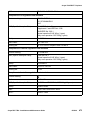
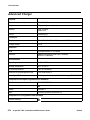
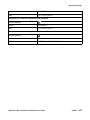
LED indications are also described in troubleshooting Advanced Charger on page 505.
204
Avaya DECT R4 - Installation and Maintenance Guide
05/2010