1
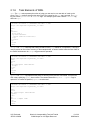
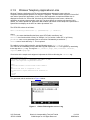
<?xml version="1.0"?>
<!DOCTYPE wml PUBLIC "-//WAPFORUM//DTD WML 1.3//EN"
"http://www.wapforum.org/DTD/wml13.dtd">
<wml>
<card id="card1" title="WML Tutorial">
<p>
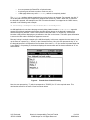
Hello, welcome to our WML tutorial.<br/><br/>
<anchor>
<go href="Links2.wml#text_card1"/>
Card 1 of the Links2.wml file
</anchor><br/>
<anchor>
<go href="links2.wml#text_card2"/>
Card 2 of the Links2.wml file
</anchor><br/>
</p>
</card>
</wml>
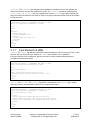
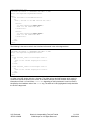
The following is the source code for the Links2.wml referenced in the code snippet above:
<?xml version="1.0"?>
<!DOCTYPE wml PUBLIC "-//WAPFORUM//DTD WML 1.3//EN"
"http://www.wapforum.org/DTD/wml13.dtd">
<wml>
<card id="text_card1" title="Sample Card 1">
<p>
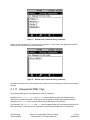
This is the content displayed for Card 1.
</p>
</card>
<card id="text_card2" title="Sample Card 2">
<p>
This is the content displayed for Card 2.
</p>
</card>
</wml>
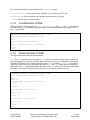
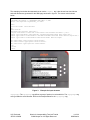
An offset in the URL begins with the # character. This offset informs the WAP browser which card of a
certain deck should be shown on the screen. In the above example, the WAP browser either displays
information of Card 1 or Card 2 from Links2.wml depending on the link selected. A card in a deck is
identified by the id attribute value of the <card> tag. The offset of a URL (highlighted in bold) should be
the ID of the target card.
KS; Reviewed:
SPOC 6/3/2008
Solution & Interoperability Test Lab Tutorial
©2008 Avaya Inc. All Rights Reserved.
21 of 26
WMLBasics