1
Contents
INTRODUCTION
5
Purpose and Scope ........................................................5
Required Reading ...........................................................5
Supported Devices..........................................................6
The SPECTRUM Model ..................................................6
TASKS
8
DEVICE VIEW
9
ONLINE HELP OPTION
19
VLAN FAULT ISOLATION VIEW
20
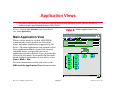
APPLICATION VIEWS
21
Main Application View................................................... 21
Supported Applications ................................................. 22
Common Applications ............................................... 22
Device-Specific MIBs ................................................ 23
Lucent Prominet Application View ................................ 24
Agent View ................................................................ 25
Agent Community Table..................................... 25
Module Hardware View ............................................. 26
Module Table...................................................... 26
Environment Views.................................................... 27
Power Systems View ............................................. 27
Power Supply Table ........................................... 27
Power Control Table........................................... 28
Temperature View ................................................. 28
Inventory View........................................................... 29
Port Management Views ........................................... 30
Port Table View ..................................................... 30
Port Flow Control Table View ................................ 32
Port Duplex Table View ......................................... 33
Port Speed Table View .......................................... 33
Port Rate Limit Table View .................................... 34
Interface Icons ..............................................................10
Interface Icon Subviews Menu ......................................11
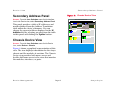
Secondary Address Panel ............................................12
Chassis Device View ....................................................12
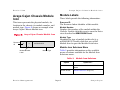
Avaya Cajun Chassis Module Icon ...............................13
Module Labels ...........................................................13
Module Icon Subviews Menu .............................13
Module Detail View ................................................14
Environment View ..................................................14
Power Supply Table ...........................................15
Temperature Table .............................................15
Module Interface Icons ..............................................16
Interface Labels .........................................................16
DEVICE TOPOLOGY VIEW
17
Chassis Device Topology View.....................................18
Device Management
Page 3
Avaya Cajun