1
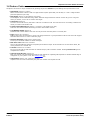
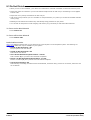
Telephone Overview: Short Codes
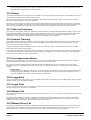
Forwarding
· Cancel All Forwarding: *00
Switch off any forwarding. Includes forward unconditional, forward on busy, forward on no answer, follow me and
do not disturb.
· Set the Forward Unconditional Destination: *07*N#
Set the destination number (N) for forward unconditional when it is switched on.
· Switch Forward Unconditional On: *01
Switch on forward unconditional. A destination must have been set.
· Switch Forward Unconditional Off: *02
· Include Group Calls in Forward Unconditional: *50
· Exclude Group Calls from Forward Unconditional: *51
· Set the Forward On Busy/No Answer Destination: *57*N#
Set the destination number (N) for forward on busy and forward on no answer. If no number has been set, those
functions will use the forward unconditional number if set.
· Switch Forward On Busy On: *03
· Switch Forward On Busy Off: *04
· Switch Forward on No Answer On: *05
· Switch Forward on No Answer Off: *06
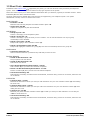
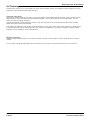
Group
· Night Service Status On: *20*N#
Set a group into night service status by entering its extension number (N).
· Night Service Status Off: *21*N#
Take a group out of night service status by entering its extension number (N).
Login
· Login: *35*N*L#
Login to a phone using your extension number (N) and login code (L).
· Log Out: *36
Log yourself out from the phone where you are currently logged in.
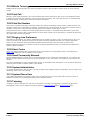
Voicemail
· Check Messages: *17
Access mailboxes to check for messages.
· Voicemail On: *18
Allow voicemail to be used to answer calls.
· Voicemail Off: *19
Stop voicemail being used to answer calls.
· Voicemail Ringback On: *48
Have voicemail ring your phone when you have any new messages. It will call when you use the phone.
· Voicemail Ringback Off: *49
Switch off ringback.
T7000 Telephone User Guide
IP Office
Page 13
- Issue 02c (13 March 2014)