1
Compuprint 6314/6414 - User Manual
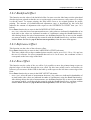
3.12.8 Mail Server Address
This item is displayed only if the ENABLING SMTP function is selected in ENABLED mode.
These values set the mail server address. This number is represented by a decimal notation where
the decimal values are divided by points in four fields. Each field ranges between 0 and 255. Use
the Scroll function key to increase the values in one field and the Enter function key to move to the
next field.
3.12.9 Email Notification Address
This item is displayed only if the ENABLING SMTP function is selected in ENABLED mode.
This function allows to write the e-mail address where you can notify the failures. Use the Scroll
function key to increase the values in one field and the Enter function key to move to the next field.
3.12.10 Email Printer Address
This item is displayed only if the ENABLING SMTP function is selected in ENABLED mode.
This function identifies the address of the sender’s e-mail using a string of characters. Use the
Scroll function key to increase the values in one field and the Enter function key to move to the
next field.
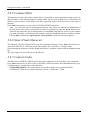
3.12.11 Contact
The Contact is identified by a name. This function allows to create the name of the printer user;
using a 14-character string. Use the Scroll function key to increase the values in one field and the
Enter function key to move to the next field.
3.12.12 Location
The Location is identified by a name. This function allows to create the name of the Location were
there is installed the printer; using a 14-character string. Use the Scroll function key to increase the
values in one field and the Enter function key to move to the next field.
69