1
Contents
Manage Programs and Recordings .......................................32
Block Programs With Parental Control ........................................................................ 32
Block Recordings With Parental Control ..................................................................... 35
Control the Viewing of Programs and Recordings in Your MR-DVR System ............ 37
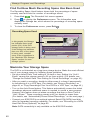
Find Out How Much Recording Space Has Been Used ............................................. 40
Maximize Your Storage Space .................................................................................... 40
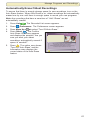
Automatically Erase Oldest Recordings ..................................................................... 41
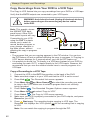
Copy Recordings From Your DVR to a VCR Tape ...................................................... 42
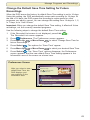
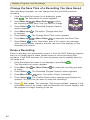
Change the Default Save Time Setting for Future Recordings .................................. 43
Change the Save Time of a Recording You Have Saved .......................................... 44
Erase a Recording ....................................................................................................... 44
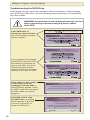
Recording to a SATA Hard Disk Drive (Optional) ........................................................ 45
Find Answers to Frequently Asked Questions ......................47
Questions About the DVR ........................................................................................... 47
Questions About Controlling a Live Program or Recording ........................................ 47
Questions About Watching Two Programs at Once .................................................. 48
Questions About Recording and Playing Back Programs .......................................... 48
Questions About the MR-DVR Client Set-Top ............................................................. 51
Questions About Watching, Recording, and Playing Back HD Programs .................. 51
Get More Information or Assistance ......................................53
Frequently Asked Questions ....................................................................................... 53
Online Documentation or the Explorer eClub .............................................................. 53
Customer Support ....................................................................................................... 53
Index ..........................................................................................54
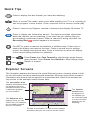
Quick Tips ......................................................... inside of back cover
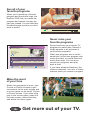
Explorer Screens ............................................... inside of back cover
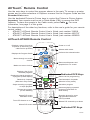
AllTouch® Remote Control ............................... inside of foldout
iv