1
Table of Contents
About this Guide.............................................................................................................................. 5
Who should use this guide ...........................................................................................................5
What is in this guide ...................................................................................................................5
Formatting conventions................................................................................................................6
Documentation feedback .............................................................................................................6
Chapter 1: Summit WM Controller, Access Points and Software system.............................................. 7
Conceptual model .......................................................................................................................7
Summit WM Controller ..........................................................................................................7
Wireless AP ..........................................................................................................................9
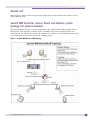
Summit WM Controller, Access Points and Software system topology and network elements .........9
Discovery mechanism in Summit WM Controller, Access Points and Software system.................10
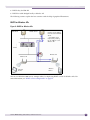
DHCP in Summit WM Controller, Access Points and Software system .......................................10
Summit WM Controller’s physical description...............................................................................14
Summit WM20 Controller front panel ....................................................................................15
Summit WM20 Controller back panel ....................................................................................16
Collecting information for installation..........................................................................................16
Chapter 2: Summit WM Controller configuration.............................................................................. 23
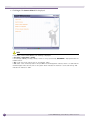
Accessing the Summit WM Controller for the first time .................................................................23
Connecting the Summit WM Controller to the enterprise network ...................................................27
Changing the administrator password ..........................................................................................27
Configuring the network time......................................................................................................27
Configuring the network time using the system’s time .............................................................28
Configuring the network time using the NTP ..........................................................................28
Applying a license key ...............................................................................................................29
Chapter 3: Physical ports configuration .......................................................................................... 31
Physical data ports overview.......................................................................................................31
Configuring data ports ...............................................................................................................32
Chapter 4: Routing configuration.................................................................................................... 35
Configuring a static route ...........................................................................................................35
Viewing the forwarding table.................................................................................................36
Configuring the OSPF routing .....................................................................................................36
Enabling OSPF globally on the Summit WM Controller ............................................................37
Defining the global OSPF parameters ....................................................................................38
Chapter 5: Configuring DHCP, DNS and IAS services ....................................................................... 41
DHCP service configuration ........................................................................................................41
Configuring DHCP in Windows 2003 Server ...........................................................................41
Configuring DHCP in Red Hat Linux Server ............................................................................44
Summit WM20 Getting Started Guide, Software Version 4.2
3