1
Connections and Setup
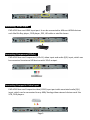
Connecting Antenna or Cable Signal Source al
1.
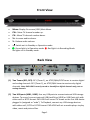
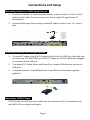
Connect an outdoor or indoor antenna directly to either Tuner 1 or Tuner 2 jack
with a coaxial cable. This is to receive over-the-air digital TV signals from TV
broadcasters.
2.
Connect Cable signal source using a coaxial RF cable to either Tuner 1 or Tuner 2
jack.
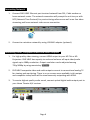
Connecting External USB Storage Devices al
1.
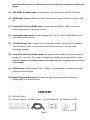
To record TV shows, plug USB 2.0 support Hard Disk Drive (HDD) or Flash stick with
the size up to 2TB. PHD-VRX2 will record TV shows on the first USB device plugged
in no matter which USB port.
2.
To playback TV, Movie, Music and Photo files, connect USB device to any one of
USB ports.
3.
To upload firmware, Plug USB flash stick in and follow the firmware upgrade
guideline.
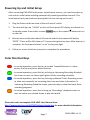
Connecting VGA/PC Inputal
PHD-VRX has one VGA input port, which can be connected to PC or external devices
with RGB, H/V sync signals and audio.
Page 4