1
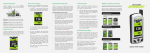
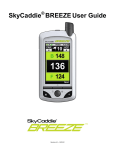
The BREEZE is like having a sprinkler
head everywhere on the course!
Easy • Affordable • Preloaded • Upgradable
Your BREEZE comes preloaded with basic green information
(front, center, back distances) for up to 30,000 of our
ground-verified courses for 30 days*. After the 30-day trial
period, you will need to have a SkyCaddie Membership to
continue to play with the basic green courses.
Register Your BREEZE at MySkyCaddie.com
To Activate Your New SkyCaddie BREEZE:
1) Visit MySkyCaddie.com on your computer.
2) Connect the SkyCaddie BREEZE to your computer
using the USB cable provided in the box.
3) Power on the SkyCaddie BREEZE.
4) Click the ‘SYNC’ icon shown on the MySkyCaddie page.
5) Follow the instructions to install CaddieSync Express.
6) Once CaddieSync Express is installed, you can SYNC
your SkyCaddie BREEZE to register.
While this Guide should provide you with BREEZE basics,
if you have any other questions about the BREEZE or its
features, please feel free to download and review the PDF
version of the BREEZE User Guide at www.skygolf.com
*The 30 day trial period is based on your date of purchase