1
Powerful software for creative minds.
VGN-AR18GP
Sony recommends Microsoft® Windows® XP Professional.
BD/DVD CREATION
Tell your story with Blu-ray’s next-generation performance
Finally what next-generation creators have been waiting for.
Burn your HD content to Blu-ray
disc with Ulead BD DiscRecorder.
Standard Definition content can
easily be burned to DVD using Click
to DVD. This application supports
DVD±R/RW or ±R DL disc.
Moreover, Roxio DigitalMedia SE
lets you back up audio, image, and
data files on BDs, DVDs or CDs.
Ulead BD DiscRecorder
Click to DVD
Blu-ray’s HD (High Definition) capabilities will put you ahead of
the crowd, with detailed images that are bound to get your
creations noticed. And with full HD viewing you can check your
masterpiece or premiere it to an audience right on the spot.
Count on the visibly superior performance of VAIO AR18GP,
from precision HD video editing to future-ready HDMI output,
to tell your story with a new level of visual impact.
Roxio DigitalMedia SE
CONTENT BROWSER
WinDVD BD for VAIO allows easy
viewing of Blu-Ray discs. VAIO Zone
lets you seamlessly enjoy DVDs, CDs,
music, photos, videos and other AV
files through a single interface. And
VAIO Media software enables AV files
on your VAIO to be accessed and
played by other VAIO Media-installed
VAIO notebooks and PCs on your
home network.
VAIO Zone
WinDVD BD for VAIO
MOVIES
Import videos from a Handycam*,
trim and edit them, or export them to
a Handycam* with DVgate Plus. Use
Adobe® Premiere® Elements with
VAIO Edit Components to add
transitions and effects like sparkles.
DVgate Plus
Adobe® Premiere®
Elements
PHOTOS
VAIO mirror logo
Design-integrated
MOTION EYE camera
VAIO illuminated logo
AV control hotkeys
Import images from your digital camera
via USB cable or Memory Stick, then
edit the files with Adobe Photoshop®
Elements®. Use PictureGear Studio to
place them in chronological order with
Calendar View, create a slideshow, or
create a photo album and print it or
attach it to email.
S/PDIF output, S-Video,
HDMI
Adobe® Photoshop®
Elements
PictureGear Studio
MUSIC
Blu-ray Disc & Full HD
Sleek & Stately Style
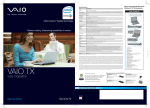
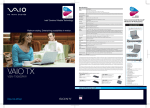
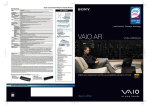
VAIO AR18GP ushers in a new age for notebook PCs with a built-in Blu-ray
Disc Drive that allows you to unleash your creativity in the form of HD (High
Definition) content. It comes with all the software you need to edit and burn
HD content onto Blu-ray disc so you can get started right away. And its 17”
wide Clear Bright High Colour LCD gives you a detailed picture that does
justice to HD images, with 72% colour reproduction for incredible realism.
High-Octane AV Entertainment
With a minimum thickness of 33.5 mm, every surface and every curvature of
its sleek body has meaning; to make VAIO ergonomically stylish, stress-free
to work with, and a pleasure to look at. The light and sturdy magnesium alloy
used in the chassis is the same type that is used in aerospace by virtue of its
durability and resistance to electromagnetic interference, and the exterior’s
Premium Black finish radiates a lustre like a fine car or a grand piano.
In addition to the visual power of HD images, VAIO AR18GP gives you a total
audiovisual experience. Sony’s Sound Reality audio chip delivers noise reduction
akin to high performance audio products (S/N ratio: 107dB), and the built-in
bass-reflex type Rich Sound Speakers are pointed forward instead of upward to
deliver great sound directly to the listener. Dolby® Digital Live support allows
integration into 5.1 surround systems.
✚ Main features
HD content recording:
Blu-ray Disc Drive
HD viewing:
17” Wide Clear Bright
High Colour LCD
Fast HDD access:
RAID Technology
Comfortable typing:
Full-pitched Keyboard
Content sharing:
Memory Stick Slot
Excellent sound:
Rich Sound Speakers,
Dolby® Digital Live
(Standard/Duo/Pro/MagicGate compatible)
Visual communication:
Built-in Camera
MOTION EYE
Network freedom:
Superior material:
Wireless LAN
Magnesium alloy body
802.11a/b/g / Bluetooth®
AV output flexibility:
S/PDIF, S-Video, HDMI
Customisable:
User-assignable S keys
Sony’s recommended headphones* for VAIO
Handy presentation:
Plug & Display
Optional accessory:
Multi Function Bay
Docking Station
✚ Basic specifications
Intel® Core™ Duo
Processor T2600
(2.16GHz)
Microsoft®
Windows® XP
Professional
17” WUXGA
1920 x 1200 LCD
NVIDIA® GeForce®
Go 7600 GT
graphics card (256MB)
Blu-ray Disc Drive
(supporting BD-R/RE/ROM,
DVD±/RW/RAM/R DL)
1GB (DDR2)
Main Memory
Import music from the Net or CDs with
SonicStage. Then transfer it to a
Network Walkman* or burn your own
original CDs. SonicStage Mastering
Studio lets you import analogue music
(Roland EDIROL AUDIO capture UA-25*
or UA-101* USB audio interface device
required) and edit it with high-quality
effector modules before recording on a
CD. SonicStage Mastering Studio
Audio Filter can enhance any sound
played on VAIO and provides excellent
headphone presets.
Inner, Open-air
Overhead, Open-air
MDR-E931LP
MDR-Q22LP
Inner, Closed
Overhead, Closed
MDR-EX51LP
MDR-V700DJ
160GB Hard Disk Drive
(Serial ATA, 5400rpm,
RAID Support)
VAIO provides an audio filter adjusted exclusively for the recommended headphones. Created at a professional music studio, this filter
ensures superlative quality sound reproduction.
*Availability depends on region
* Availability depends on region.
Note: Any copying or reproduction of
copyrighted material may amount to
copyright infringement. Song titles, names
of artists and other information shown in the
SonicStage screen capture are provided for
illustrative purposes only.
SonicStage
SonicStage Mastering
Studio
SonicStage Mastering
Studio Audio Filter