1
8.0 Inspection and Maintenance Monitors
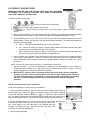
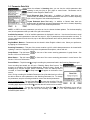
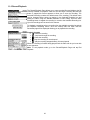
The Inspection and Maintenance Monitors Screen displays the status of the
vehicle’s inspection and maintenance (I/M) monitors.
What are I/M Monitors? A monitor is a piece of software in one of the vehicle’s onboard computers that has the job of monitoring a specific piece of the engine.
There are two types of monitors: continuous and non-continuous. A continuous
monitor runs continuously during vehicle operation. A non-continuous monitor
requires enabling criteria to make it run. Some examples of enabling criteria are
vehicle acceleration/deceleration to a certain speed, engine temperature and driving
the vehicle at a certain speed for a period of time. For OBD II vehicles, there is a
fixed list of 11 monitors: 3 continuous and 8 non-continuous. See Section XI. for
more information on monitors.
I/M Monitor Status – There are 3 possible I/M Monitor statuses.
• Complete – The monitor is supported and complete
• Not Comp – The monitor is supported and not complete
• Not Supp – The monitor is not supported by the current vehicle
NOTE: When DTCs are cleared, the Inspection and Maintenance Monitors are also cleared.
9.0 Oxygen Sensor Locations and Test Results Screens
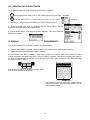
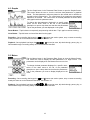
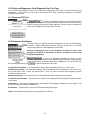
The Oxygen Sensor Locations Screen shows which Oxygen
Sensors (O2) are Present and which ones are Not Present
on the current vehicle.
NOTE: Not all vehicles support Oxygen Sensor Tests.
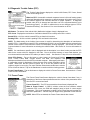
Oxygen Sensor Tests Button – Tap this button to open the
O2 Sensor Tests Screen, which shows the on-board oxygen
sensor monitoring test results. To see the results of another
O2 sensor, tap on the down arrow to left of the O2 sensor
name to open a drop down list of the sensors that are
present on the vehicle.
10.0 General OBD II Information
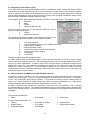
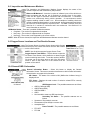
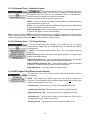
General Information Button – Select this button to display the General
Information Screen. This screen contains miscellaneous vehicle status information.
All vehicles do not support this information.
MIL Status - The status of the vehicle’s MIL (Malfunction Indicator Lamp) is
displayed here.
DTC Count - Displays the total number of emission related DTCs currently
stored in the vehicle.
•
•
•
•
•
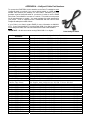
OBD Support Level – The possible statuses are as follows
OBD II (California ARB)
OBD (Federal EPA)
OBD and OBD II
OBD 1
Not intended to meet any OBD requirements
•
•
•
Secondary Air Status – The possible statuses are as
follows
Upstream of first catalytic converter
Downstream of first catalytic converter inlet
Atmosphere/off
•
•
PTO OFF
PTO ON
Power Take Off – The possible statuses are as follows
21