1
Option 3: PIN method
5
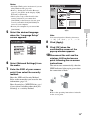
Select the desired language
when the “Language Setup”
screen appears.
6
Select [Network Settings] from
the menu.
7
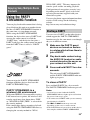
Enter the SSID of your access
point.
Your computer must be connected to the
wireless LAN router/access point in advance.
Write down the SSID of your wireless LAN
router/access point.
SSID
Refer to the operating instructions of the
access point.
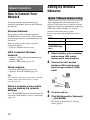
1
Connect the unit and the
wireless LAN router/access
point using a network (LAN)
cable.
Enter the SSID. Refer to the memo that
you wrote for this information.
Network
(LAN) cable
3
4
Turn the unit on.
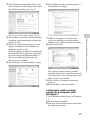
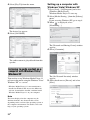
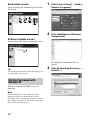
Click [My Network] or [Network]
t [SA-NS400].
The [Sony Network Device Setting]
screen appears.
Notes
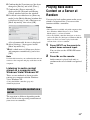
• Install the UPnP service in advance if you are
using Windows XP (page 28).
• Refer to “Setting Screen on the Browser”
(page 27) for details on the display of [My
Network] or [Network].
• Check your set-up of the firewall of the
security software if you cannot find
[SA-NS400] or the browser does not open
even if you double-click [SA-NS400] on
screen of your computer.
• Restart your computer if you cannot find
[SA-NS400].
17GB
Network Connections
2
Check whether your computer
and wireless LAN router/
access point are turned on.