1
4. Troubleshooting
Problem
Solution
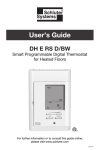
The thermostat is hot.
In normal operating conditions, the
thermostat housing can reach nearly 40ºC
at maximum load. It is normal and will not
affect the operation of the thermostat.
Heating is always on.
Check if the thermostat is properly
connected. Refer to the installation section.
Heating does not run
even if the thermostat
indicates it is on.
Check if the thermostat is properly
connected and make sure the red indicator
is not lit. Refer to the installation section.
The display does not
come on.
Check if the thermostat is properly
connected. Refer to the installation section.
Check the power supply at the electrical
panel.
The red indicator lights
up frequently.
Contact customer service.
The displayed ambient
temperature is
incorrect.
Check the presence of an air stream or
a heat source near the thermostat, and
correct the situation.
The display indicates
E1*, E2** or E3***.
Faulty thermal sensor. Contact customer
service.
Weak luminosity of the
display.
Possibility of a bad contact. Check
thermostat wirings. Refer to the installation
section.
* E1: Faulty ambient exterior sensor (open circuit) – written in the ambient section
** E2: Faulty interior sensor (open circuit) – written in the ambient section
*** E3: Faulty floor sensor (open circuit) – written in the floor section
N.B. If you do not solve the problem after checking these points, cut off the
power supply at the main electrical panel and contact customer service
(consult our Web site to obtain the phone numbers).
SYN-INT-E01
21