1
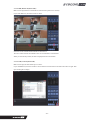
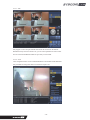
1-1. General information Net Client is an application which provides users not only viewing and controling remote DVRs, but also receiving realtime event data or alarm signals with LAN, WAN environment. Net Client enables users who care about security to manage full information from all the wire-connected DVRs. All security administrators can control all situations even in emergency with easy operation in their PC. 1-2 Main features of Net Client program is as follows, - Real time monitoring multi DVRs at the same time (Up to 64ch) - Various screen mode supported. (1, 4, 9, 16, 25, 36, 49, 64 screen & sequence mode) - Remote playback/backup & local playback (backup file view) - Remote controlling DVR setting value / PTZ camera control System requirements for PC - Operating system : Windows XP / Vista / Windows7 - CPU : Dual core or Higher - Ram : At least 1GB (2GB or higher memory recommended) - VGA : 128MB graphic memory or More Program Installation 1-2-1 Find Net Client installing program, and execute it. 1-2-2 After installation, the Net Client icon will be created on the desktop. 1-3 . Log In When the application is started, Login window will be shown. Input ID and password. Initial ID and password are admin and admin (These ID and password are separate from ID and password of DVR) -2-